/ Posted by to
by Brian Fisher • • Proven solutions
If you want to play videos with QuickTime Player on Mac, you need to make sure that your video files are under the compatible formats with QuickTime. This article shows you some codecs for QuickTime Player on Mac OS X 10.6 or later.
- Part 1. How to Solve the Problem of “Failed to Play Videos on QuickTime"?
- Part 2. Third-Party Codecs for QuickTime Player
Part 1. How to Solve the Problem of “Failed to Play Videos on QuickTime"?
If you want to play videos such as MKV, WMV, AVI, FLV with QuickTime on your Mac, you can take UniConverter for Mac as a try. Within a short period of time, you can enjoy all your videos without any other codecs or third-time players. This is really a time saver, especially the batch converting process that allows you to convert your files at one time. Besides, this app allows you to edit files by cropping, trimming, and merging several videos into one.
UniConverter - Video Converter
Get the Best Video Converter:
- Converts 150+ video/audio formats – this powerful tool can work with over 150 video and audio formats.
- Fast converter - UniConverter is the fastest video converter working at speeds of up to 90X.
- Maintains quality – the quality of the converted video is not compromised ensuring that you get a high-quality converted video.
- Inbuilt video editor – there is an inbuilt editor which you can use to spruce up your video creations.
- Download video of the Internet – record your favorite video from streaming sites, then convert and store them to your computer or DVD.
- Compatible with macOS 10.15 Catalina and earlier.
3,981,454 people have downloaded it
Detailed Guide to Convert Videos to QuickTime Compatible Formats with iSkysoft
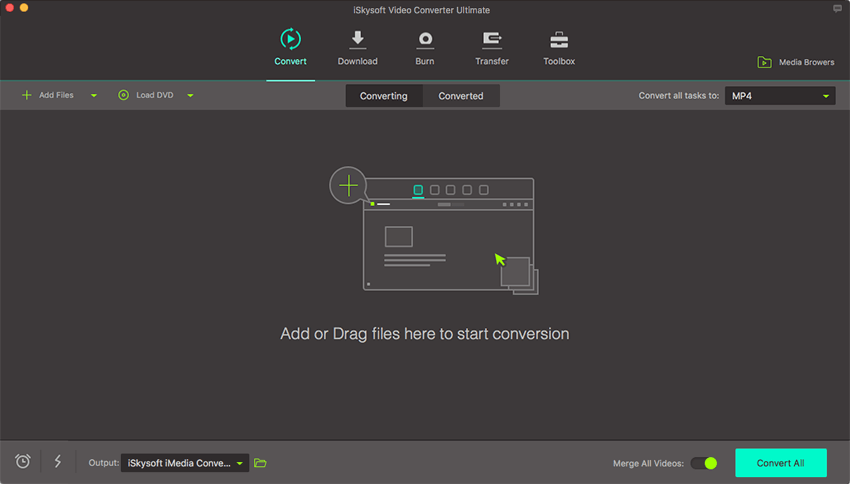
Step 1. Import Files
Directly drag and drop the files you plan to convert to the program, or go to "File" > "Load Media Files" to load the source files. You can load several files into the app and have them converted altogether to save time.
Step 2. Set Output Format
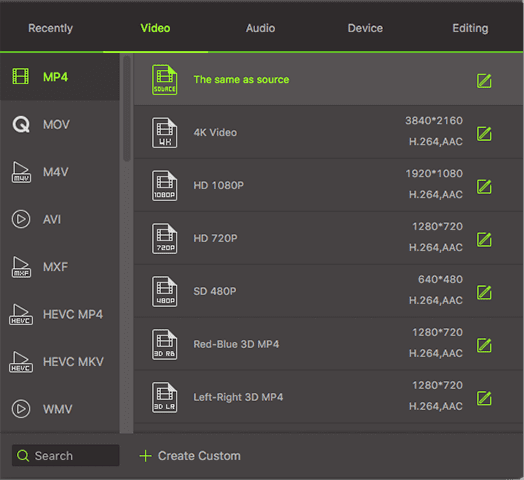
At the bottom part of the converter, there is a row of output formats divided into several sections. You can see various output formats. Choose the one that is supported by QuickTime. For example, you can set "MOV" as the output format.
Step 3. Start Conversion
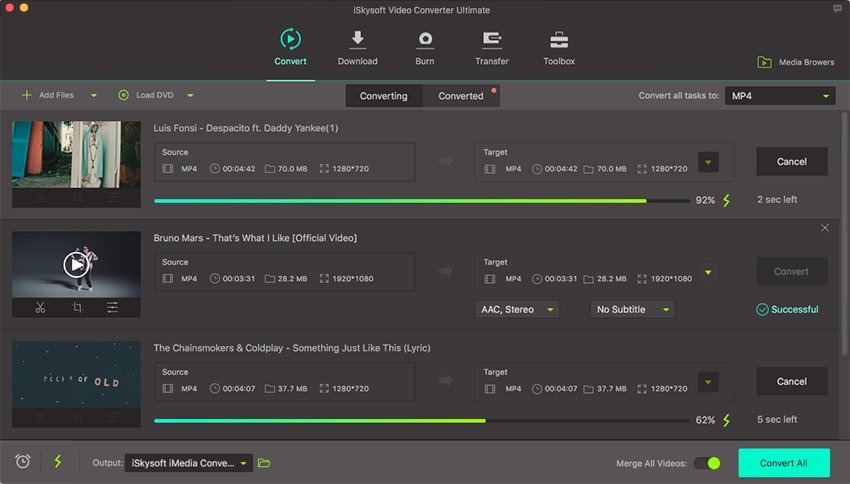
Click the "Convert" button, and just leave the iMedia Converter will convert your files for you automatically. The process will be finished in no time.
Part 2. Third-Party Codecs for QuickTime Player
#1.DivX Codecs
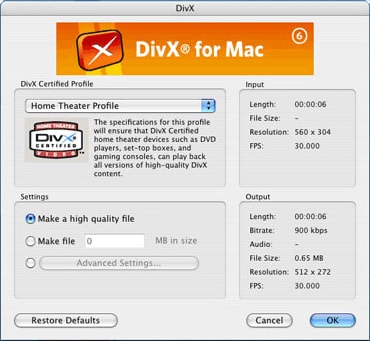
Due to the superior quality and compression ratio of , many high-dev encoders use this DivX Codecs, including QuickTime. So if you want to play DivX video files on QuickTime, you need to install DivX codecs for QuickTime player first. It needs a stern bout with an installer, a System Preferences add-on and a license agreement. When it's finished, restart and that's all. No need to drag and drop. But you actually only received a trial version of the pro codec. In other words, you won't be allowed to encode DivX content six months later. But the decoder will still work which enables you to play DivX files on QuickTime without limitation.
#2. XviD Codecs
In some cases, QuickTime player might not support XviD. But the compatible issue can be easily solved. Firstly, download the Xdiv DMG. It is similar to do with Perian, and you will need to install the DMG and then make things happen by doing a little leg-work. Open the "Macintosh HD" (or whatever name you would like to call your hard drive icon on the desktop), then go to “Library” and open QuickTime. Then, you might see some other .component "brick icons" which have been installed before. Drag and drop the XviD_Codec_….component file (say LEGO brick icon) and the other codec components to QuickTime. Now, log out and then log in again, you would be allowed to play XviD files in FrontRow.

#3. WMV Codecs
It might not be easy to play WMV in QuickTime, but it is still not that difficult to play DivX on QuickTime for the first time. The WMV codec is completely proprietary, but luckily there is a QuickTime codec called "Flip4Mac" that can help you to fix this issue. Just like dealing with DivX, you'll have to run an installer and will need to restart once it is completed. Just similar to DivX, Flip4Mac will install a (somewhat useless) System Preference page. But after the installation is completed, you'll be allowed to play those WMV files in QuickTime and FrontRow.
#4. AC3
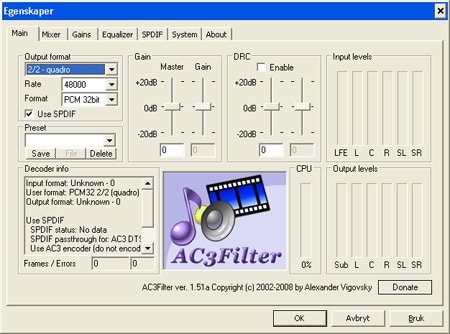
There are some video files like XviD that are encoded with AC3 audio streams. While it would be fun to try and perform sound effects and dialog made by you or even with a group, and it would be more interesting to hear the sound-track recorded for the movie. It is available to download codec for AC3 in QuickTime from here. The installation is similar to XviD (drag and drop the .component file to /Library/QuickTime, after that, log out and log in again). But there will be some unexpected side-effects you need to be aware of before you perform this step. One is that it seems to ruin support in QuickTime.
Brian Fisher
staff Editor