VCD Converter: How Can You Convert VCD (.dat) Videos to MOV, MP4, AVI on Mac/PC
What are DAT videos?
You may meet or use DAT file format in the possible ways such as: for VCD video files, generic data files and the Winmail.dat files used in email, etc. DAT files are generally used to reference data files, which contain data in ASCII format and are normally comma delimited. The file name extension .dat is used for VCD media files. A DAT file is actually saved in MPEG-1 or MPEG-2 format, containing the actual video data that is played from the VCD. The important thing is that the DAT file for video CDs can be played on CD players and the users do not have to open the DAT file manually.
Part 1. How to Convert DAT to MOV, DAT to MP4, DAT to AVI EASILY
As a matter of fact that when you try to playback, import or edit such MPEG video files extracted from VCD, it seems to be headache with aliasing effects, distortion and images squeezed because of a wrong aspect ratio setup. For this reason, users then need to try something which allows VCD (.dat) to read compatible video files such as MOV, MP4, M4V. Then you can even put the VCD (.dat) files to iPad, iPhone, etc for playback. Here UniConverter is recommended to convert DAT files as illustrated below. This quality software is fully compatible with macOS 10.7 Lion to 10.15 Catalina, and Windows 10/8/7/XP/Vista.
Convert DAT/VCD Files to Any Format.
- Convert between more than 150 audio and video formats at 90X faster speed than other video converter (including convert DAT to MP4, MOV, AVI, MKV, etc).
- Support Lossless Conversion for video format which encodes by , like MP4, MOV, M4V, AVI, etc.
- Offer editing features like Trim, Crop, Rotate, add Effects, Subtitles, Watermark, etc. to help customize your video.
- Download or record online video from 1,000+ streaming video sites like YouTube, Hulu, Netflix, Vimeo, Vevo, etc.
- Transfer converted DAT or VCD video to your mobile devices with USB cable to enjoy anywhere.
- Provide with a set of useful tools like GIF Maker, VR Converter, Cast to TV, Screen Recorder, DVD Copy, etc.
Step-by-step Guide to Convert DAT/VCD Files to Different Formats as Needed
Step 1. Install and Run the VCD (.dat) Video Converter
Click below the Free Download button to download this DAT converter on your Mac/PC. Then you will get pop-up installation menu supporting you to finish installing the program. After that, run the DAT converter and go to main interface.
Insert your VCD (.dat) videos from your Mac/PC. Then drag your VCD (.dat) videos to the VCD converter, or use the Load DVD to import DAT file to the converter.
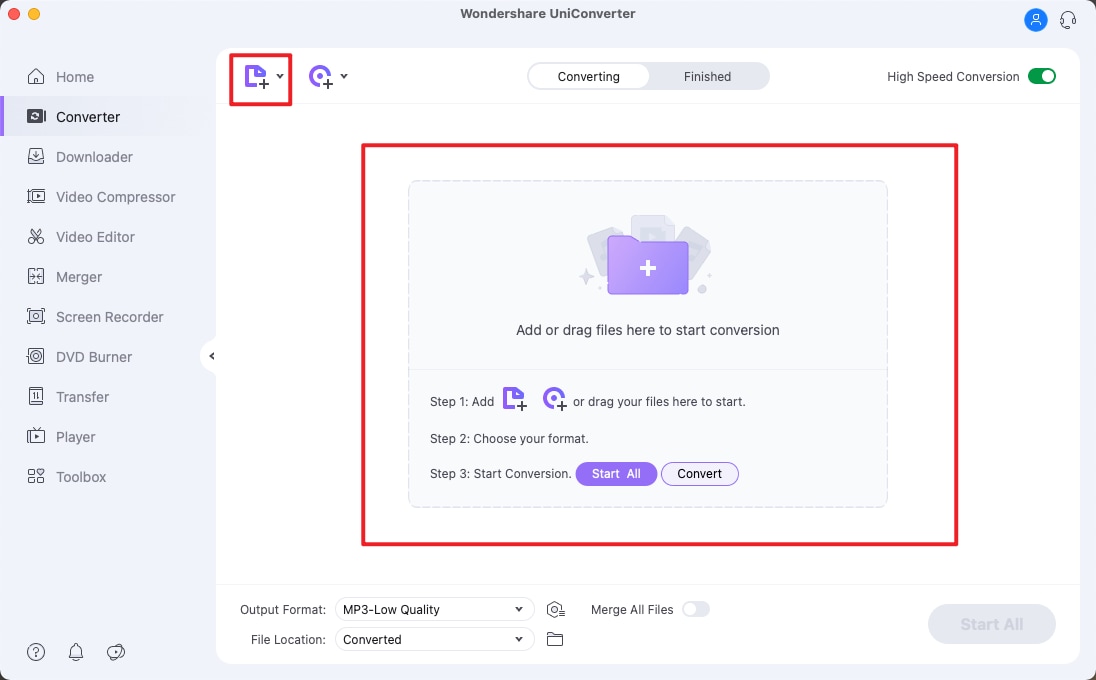
Step 2. Select output format
Now you are able to choose the output format from the format tray on the interface, from where you could also adjust the resolution, frame rate, bit rate, or other encode settings. If you want to convert .DAT to MP4, you will have to select MP4 in this step as the screenshot shows.
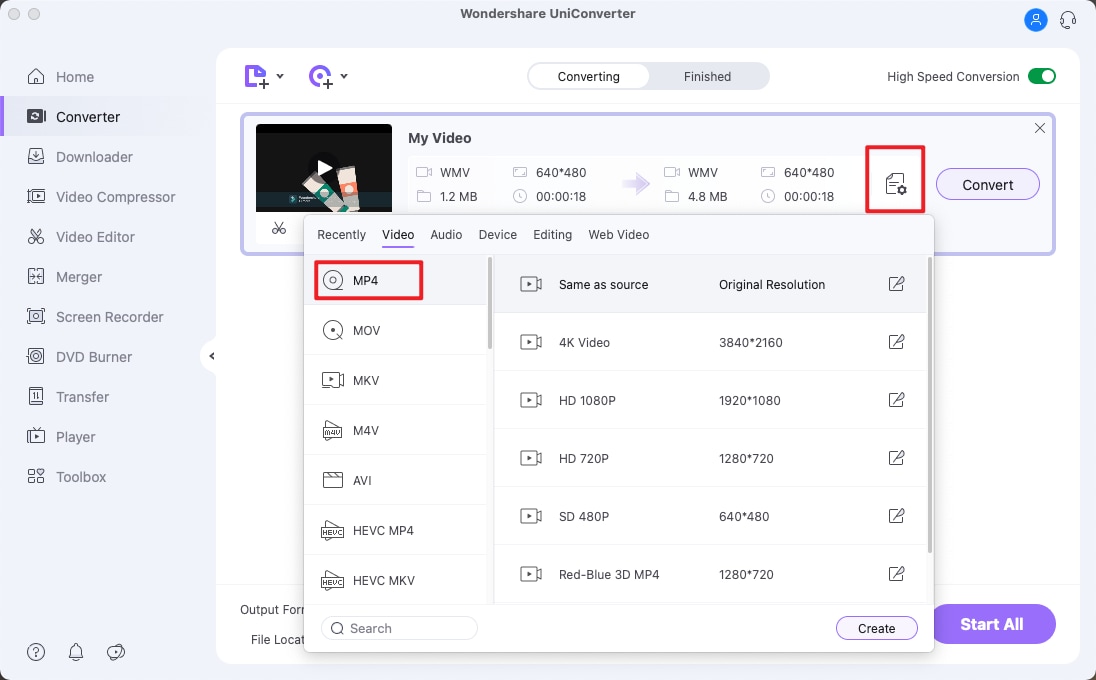
Step 3. Convert VCD (.dat) to MP4, MOV, AVI, FLV, etc.
Return to the main interface and click Convert in the display bar or Convert All to finish the VCD converting task. You can even easily extract audio from the VCD (.dat) to MP3 with this VCD (.dat) Video Converter.
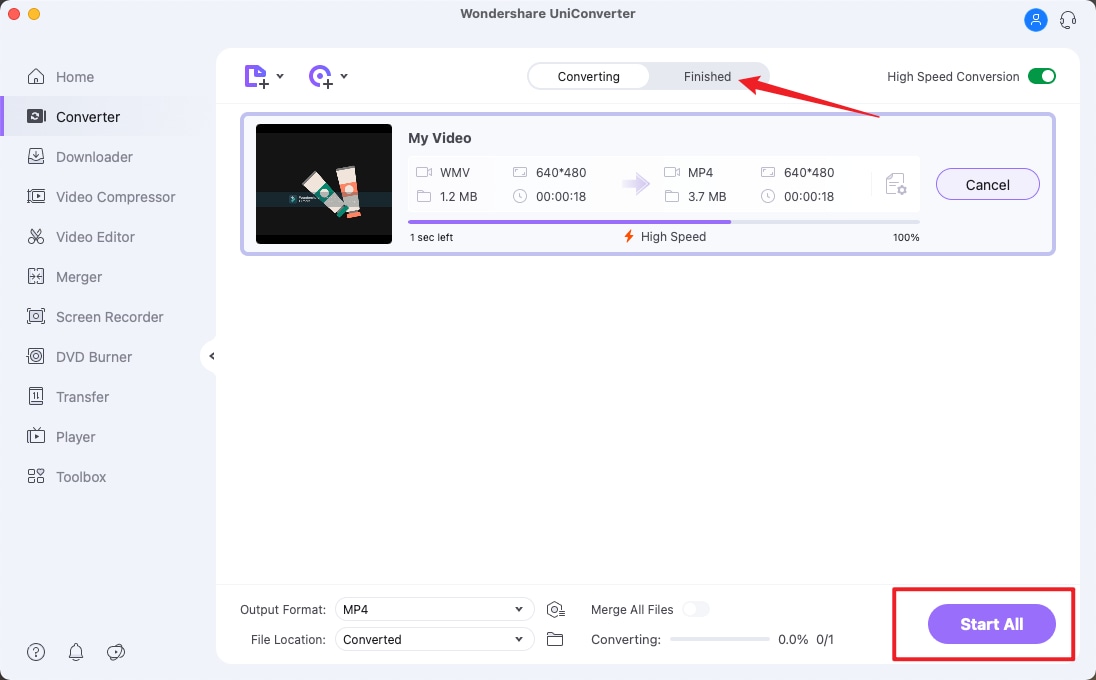
See the video tutorial to convert VCD with UniConverter
Part 2. Recommend Another DAT/VCD Video Converter
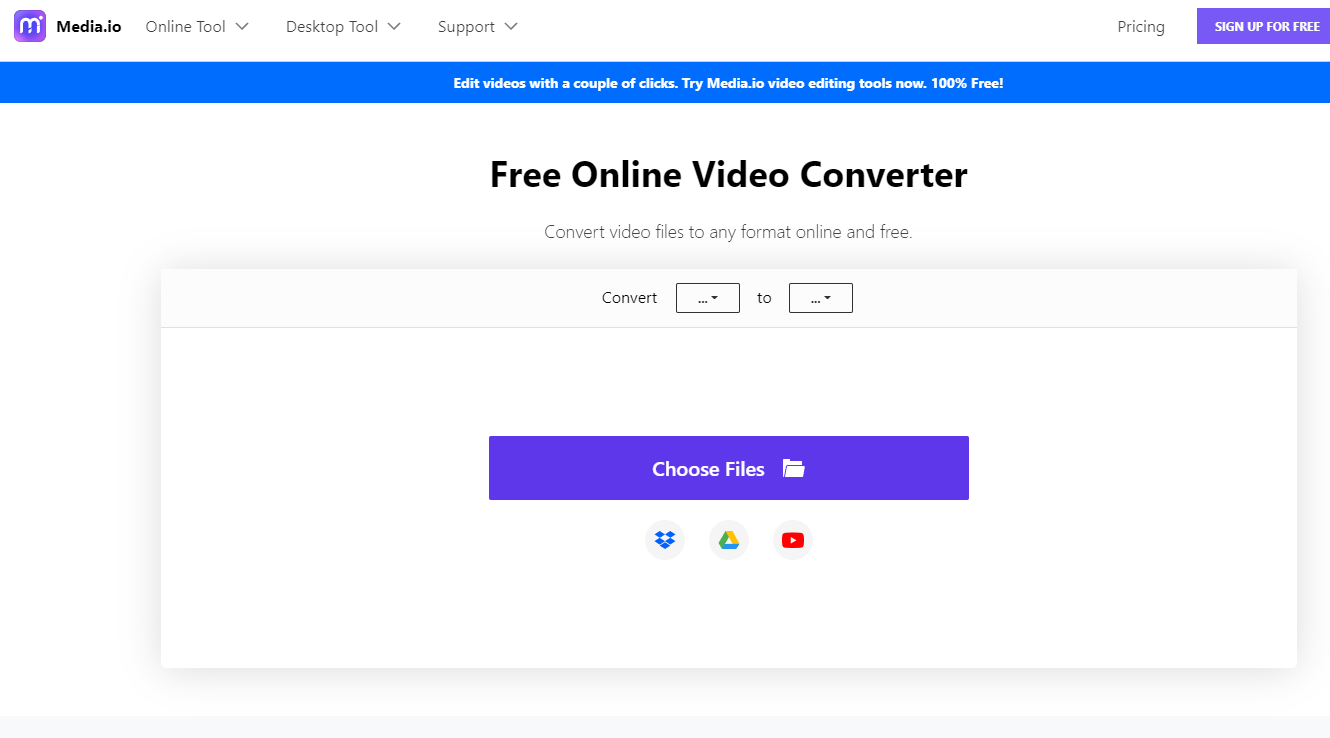
media.io is an online video converter that allows you to convert videos, audios, HD videos, SD videos and device format files. This guide shows you how to convert VCD videos using media.io.
Step 1. Open your preferred browser and visit media.io website.
Step 2. Next, you need to add VCD files to the website. Click on “Add your files” and upload the VCD from your computer.
Step 3. You can then set the output file type that you want. Click on “Convert to” and select either video or audio type.
Step 4. Depending on the file type that you selected in step 3, you can now choose the preferred format. If it is audio, you can select format such as MP3. For video, you can go for MP4 format.
Step 5. After that, click on “Convert” icon. media.io will convert VCD videos to the preferred output format. You will then be able to download and save the file on your computer.
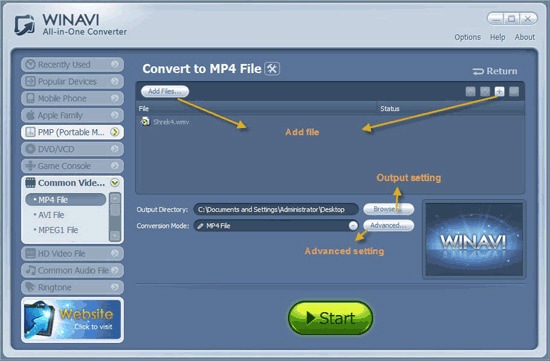
WinAVI is a popular converting tool which enables you to convert DAT files in other file formats easily. It is known for its quick and easy media conversions. It converts your media files for using it in any portable device. It is very simple to use for DAT file conversions.
Pros:
User Friendly Interface.
Supports most of the portable devices.
Converts DAT files efficiently.
Cons:
No Advanced option and editing feature (Can be used only for file conversion).
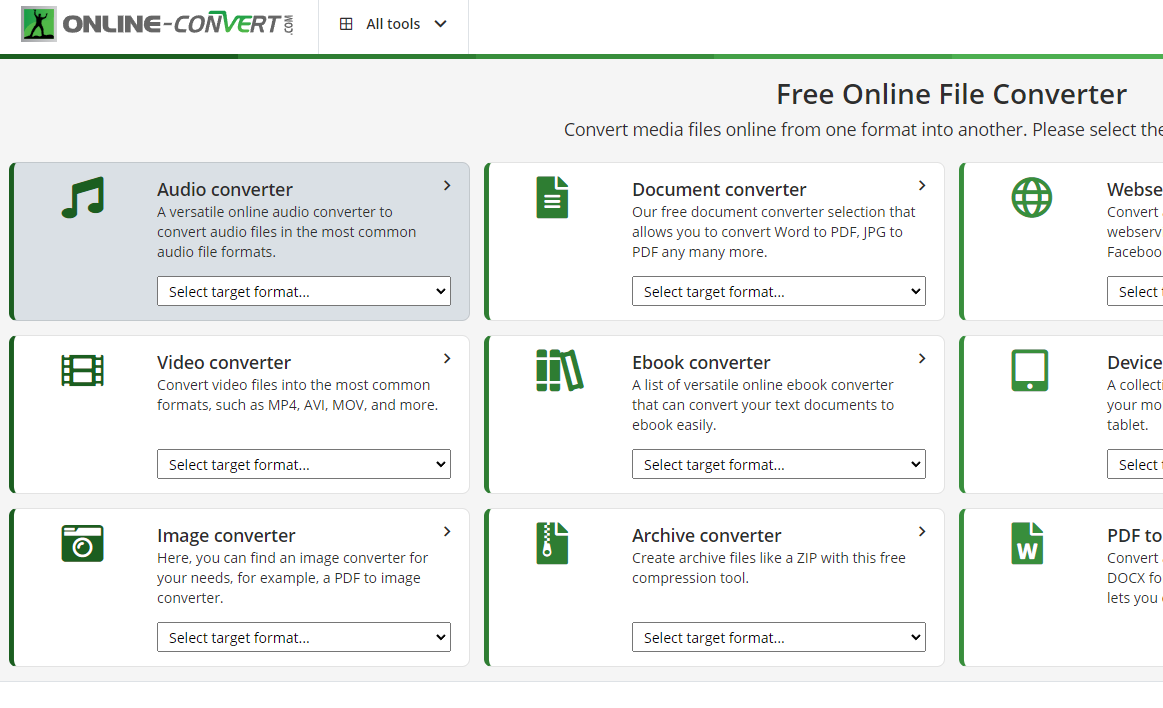
Online Converter is widely used for converting DAT file formats. It is a popular free online converting tool which enables you to convert any videos/audios from URL. You just need to select the format of the file to open the video converter page. After that load your DAT file and select the optional settings for editing the video before conversions. It supports many formats such as 3GP, DAT, AVI, MKV, MOV, MP4, MP3 and many more. It has the capability to convert any file format which has layered PSD’s to multiple image files so that you can download it as a ZIP archive.
Pros:
Converts DAT files without any quality loss.
Separate converting tools for each purpose.
Supports all the video/audio formats.
Unique Editing feature.
Cons:
Only compatible with Windows.
Tips: How to play VCD (.dat) on Mac without conversion?
To open the DAT instance of the VCD file category, Mac users require the VCD Gear application.
VCD Gear is a program designed to allow a user to extract MPEG streams from CD images, convert VCD files to MPEG, correct MPEG errors, and more -- all in a single step.
Then you can use VLC to play the MPEG files from VCD.
Brian Fisher
staff Editor