MP4 to MOV: How Can You Convert MP4 to QuickTime MOV on Mac
MP4 is a popular multimedia container format that is compatible with an array of devices and players including Mac devices. MP4 files can be played on Mac QuickTime player, but only in situations when it contains supported codecs. So if MP4 files have codecs that are not compatible, QuickTime player won't play your videos. Thus to play your MP4 videos on Mac, iPhone, iPad, and other iOS devices without any compatibility and codec issues, converting MP4 to MOV is the best solution as MOV is the default format for the iOS devices. Know the best solutions to convert MP4 to MOV Mac in the following parts of the article.
Part 1. Best Way to Convert MP4 to MOV on Mac without Quality Loss
If you want to settle for nothing less than the best while converting your MP4 files to MOV format, UniConverter is the apt software. Using this versatile and all-purpose conversion tools your MP4 files can be converted to MOV format in a quick and hassle-free manner. The program allows adding files from your computer as well as directly from devices. Over 150 formats are supported by the program as output files. You can even merge the needed files and process them in batches. An array of device-specific formats is also supported by the tool to avoid any compatibility issues.
Get the Best MP4 to MOV Converter - UniConverter
-
Convert MP4 to MOV, AVI, MKV and 150+ common video/audio format in high quality.
-
90X faster conversion speed than any conventional converters in the market.
-
Edit and personalize your MOV videos before conversion, including crop/merge video, add subtile/watermark, etc.
-
Download online videos from YouTube, VEVO, Vimeo, Facebook, Dailymotion and over 1,000 popular video streaming sites.
-
Burn video to DVD with free DVD template
-
Powerful toolbox consists of GIF maker, screen recorder, video compressor, CD burner and fix video metadata.
-
Compatible with Mac OS X 10.14 Mojave, 10.13, 10.12, 10.11, 10.10, 10.9, 10.8, 10.7, 10.6, Windows 10/8/7/XP/Vista.
3,981,454 people have downloaded it
How to Convert MP4 to MOV on Mac
With the lossless conversion, UniConverter is the best MP4 to MOV converter Mac tool that also has a Windows version, which functions almost the same. Below lists both video and step-by-step guide for your reference.
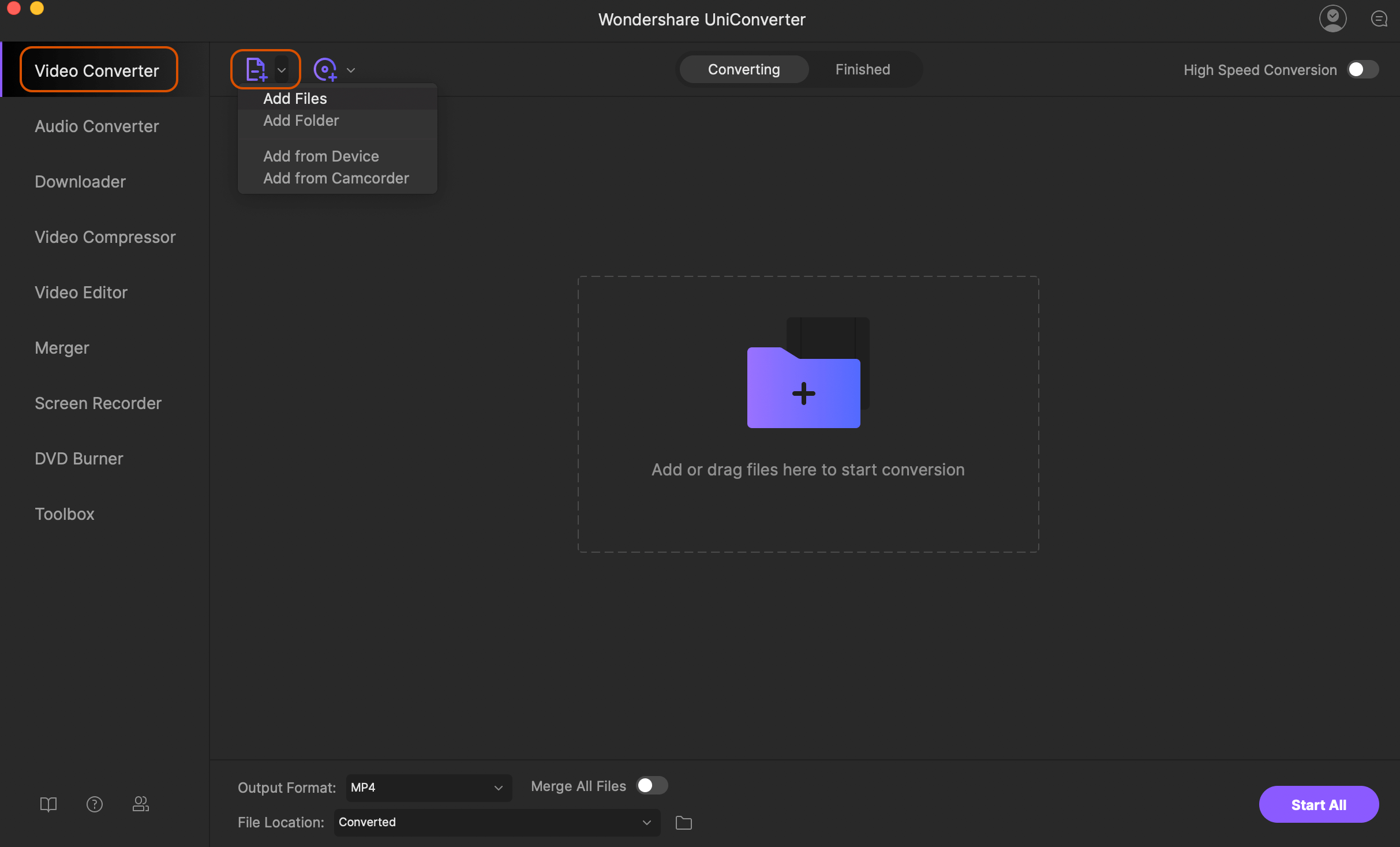
Step 1. Run iSkysoft MP4 to MOV Mac and load videos
Download, install and launch UniConverter on your Mac. On the Convert tab, click on  to load the local MP4 videos. The files from connected devices can be added by opening the drop-down menu from + Add Files option. You can even drag and drop the files.
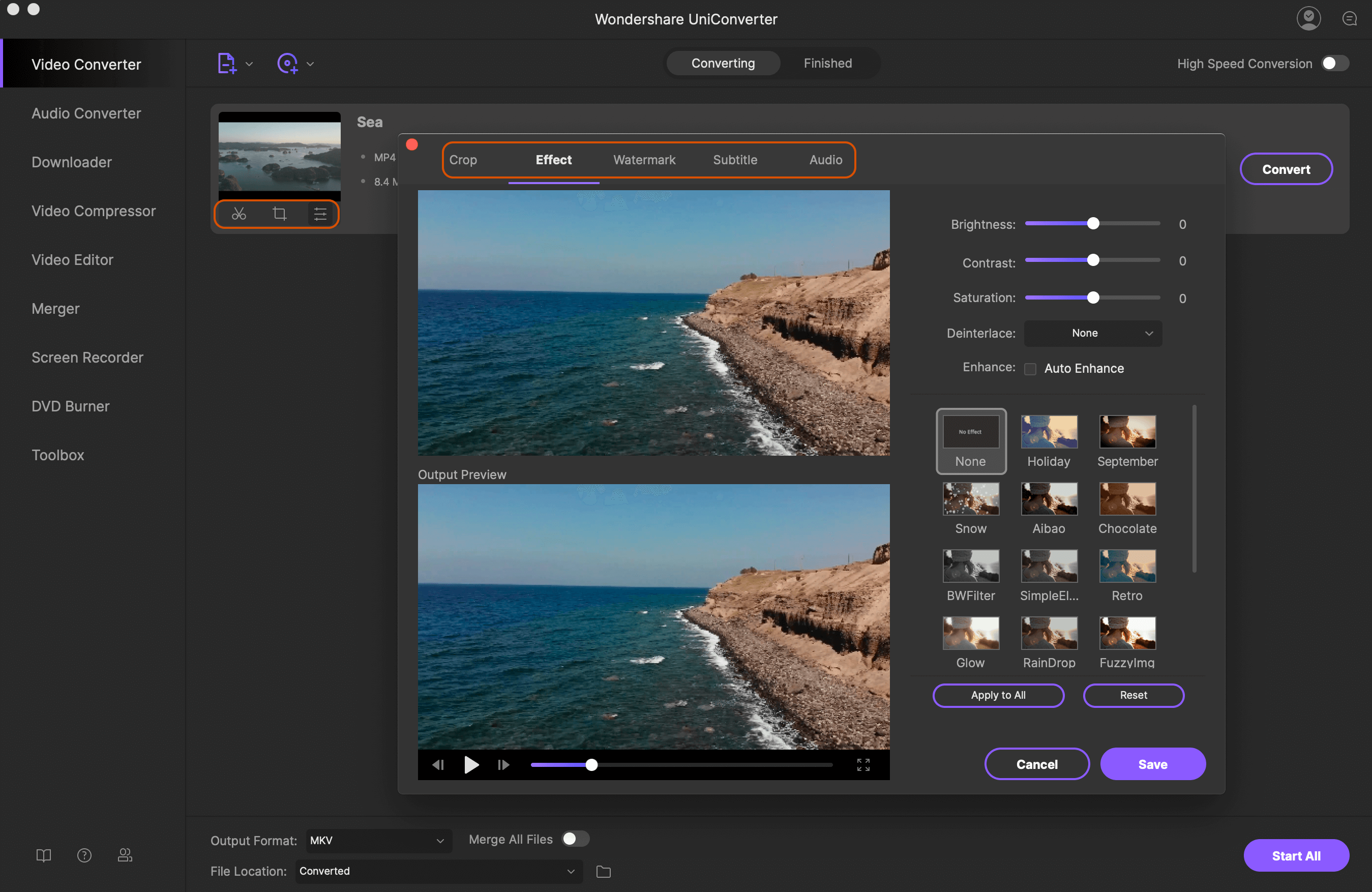
Step 2. Edit MP4 videos (Optional)
There is a complete editing suite that comes along with the software to take care of your video personalization needs. Under the added video thumbnails, the icons for – Trim, Crop, Effect is present. Click on the desired icon and a new editing window will open. Make the changes and click OK to confirm them.
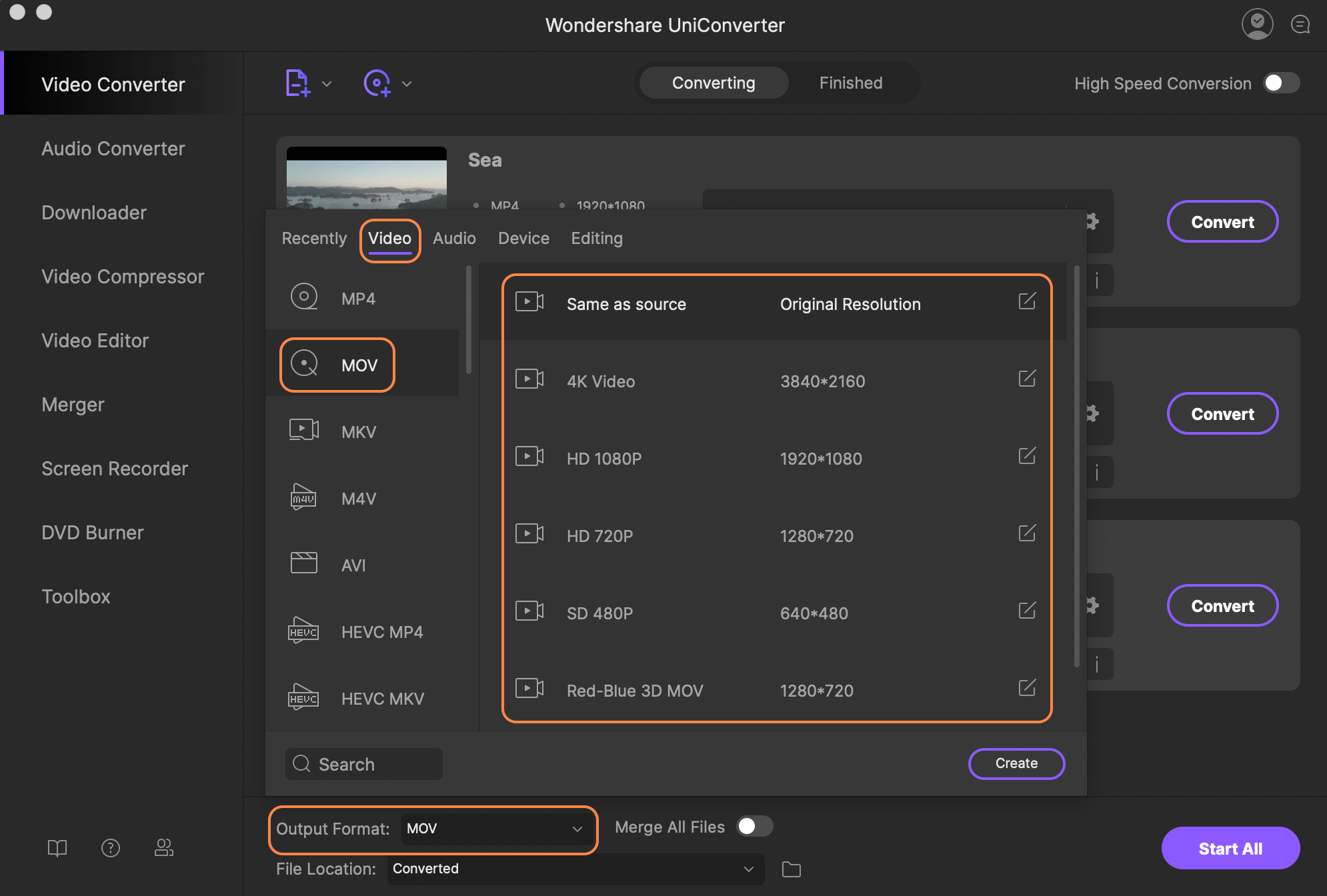
Step 3. Choose MOV as target format
Next, click  on the top-right corner to open the drop-down options at Convert all tasks to. From the Video tab, select MOV format. You also need to select the resolution of the output file.
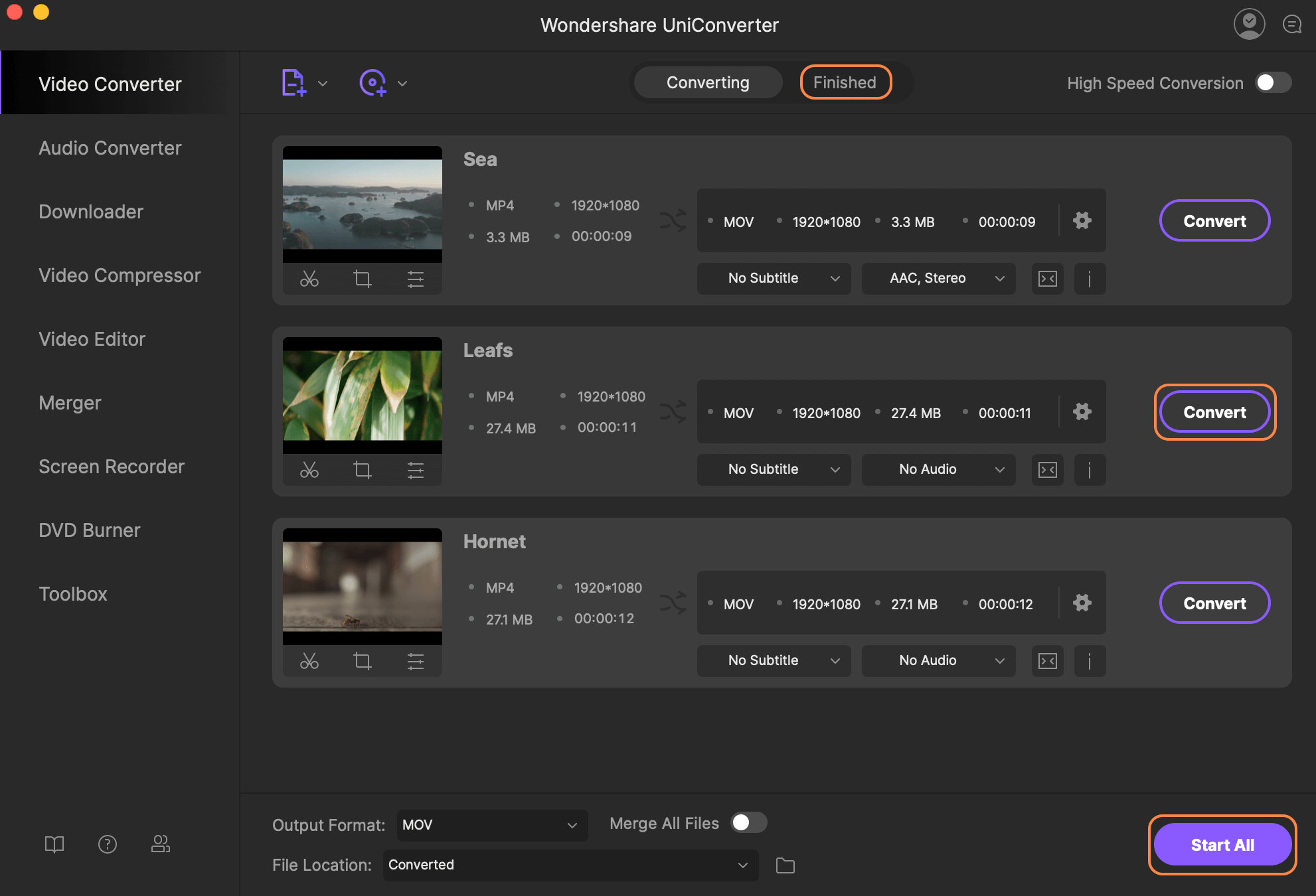
Step 4. Mac convert MP4 to MOV
At the Output tab location, select where you want to save your converted files on Mac system. Finally, click on Convert All button to start processing and converting your added MP4 videos to MPV format in lossless quality. The Converted tab on the software interface helps to manage the converted files.
Part 2. 2 MP4 to MOV Converter Free Mac Online
For simple and free conversion of your files, online programs work as a decent option. These tools work on the browser without any need for software installation or download. If you are looking for basic conversions, MP4 to MOV converter free Mac online are good choice. Listed below are two popularly used tools. See more Online MP4 to MOV Converter for Mac >>.
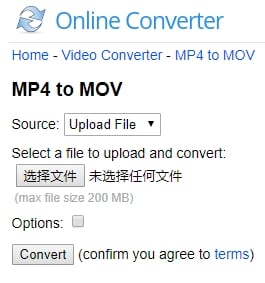
With an online converter, your MP4, as well as other videos, can be converted to MOV and other formats in decent quality. Working from the browser of your PC, the program allows adding local as well as online files to the interface. 200MB is the maximum file size limit that can be added. If you want to get rid of the unwanted parts of the video before conversion, the program supports the cut option as well. Once the process is complete, the converted files can be downloaded to your PC.
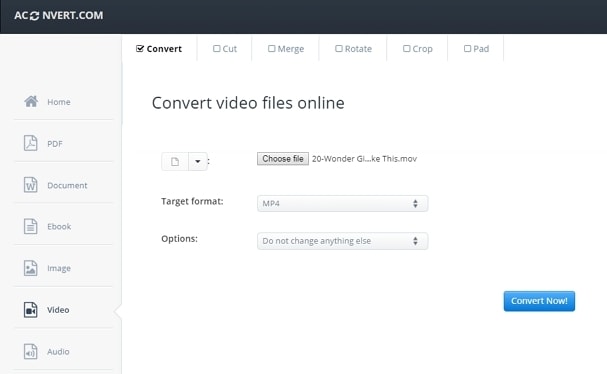
With AConvert, conversion of your MP4 files to MOV is simple and easy. You can select the MP4 files from the system, URL, Google Drive, and Dropbox. The added files once uploaded to the interface can be converted to the desired format in decent quality. The tool also allows you to customize your videos by changing its bit rate, frame rate, size, and video aspect. The download link for the converted file appears on the app interface.
Part 3. 2 Recommended Free MP4 to MOV Converters for Mac
A number of freeware software's to convert your MP4 videos to MOV on Mac is available as well. Available for free download and installation, these programs come with decent features to look after your basic conversion needs. The two most popular Mac convert MP4 to MOV free tools are listed below.
1. QuickTime Pro
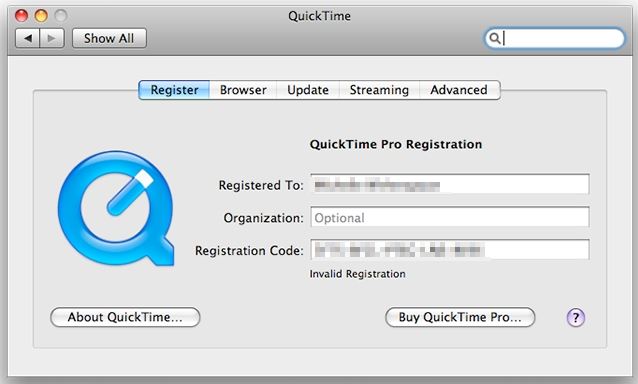
QuickTime is the native player for videos on Mac system. The Pro version of the player in addition to video playback also supports an array of other functions like video recording, video editing, and video conversion. Free to use, this MP4 to MOV converter Mac free program results in high-quality output files in a few simple steps.
Pros and Cons of QuickTime Pro:
Pros:
-
Supports an array of functions like video creation, editing, recording, and conversion
-
Native to Mac system, does not require an installation of any third party software
Cons:
-
The limited format supports as compared to professional tools
-
Limited features in comparison to paid tools
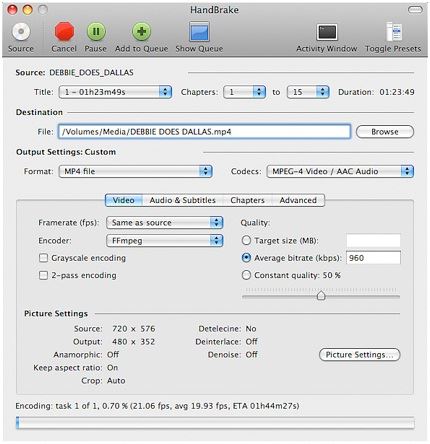
Handbrake is a popularly used open source video transcoder that facilitates file conversion in decent quality. This free and open source program can supports multi-platform including Windows, Mac, and Linux. Almost all multimedia files and files from the disc can be added to the program interface for the conversion process. An array of additional features for customizing the files are supported by the tool.
Simple Steps on How to Free Convert MP4 to MOV with Handbrake
-
Run Handbrake on your Mac and click Source.
-
Add your desired MP4 files to be converted to .mov and then hit Browse to specify the destination folder.
-
Choose MOV as the output format and click Start to begin MP4 to MOV conversion on Mac.
Pros and Cons of Handbrake:
Pros:
-
Facilitates adding almost all types of multimedia files and files from DVD and Blu-ray disc
-
Comes with an array of additional features like selecting pre-set codecs, quality, and others
-
Free of advertisement
Cons:
-
Does not support converting your MP4 files directly to MOV format but they can be converted to iPhone, iPad, and iPod supported formats
-
Limited output format supports
-
Complicated conversion process that requires skills and knowledge about the formats and their conversion.
Part 4. Learn More: How to Play MP4 on Mac
In general situations, MP4 files can be played on your Mac devices without any issues. But in case if you encounter a problem in playing your MP4 videos on QuickTime or other players on your Mac system, we recommend the following solutions.
1. Mac MP4 to MOV conversion:
The most straightforward solution is to convert your MP4 videos to MOV format using one of the methods mentioned in above parts of the article. You can use free MP4 to MOV converter Mac or the professional tools as required.
2. MP4 player download:
If you are not willing to convert your MP4 files, downloading a compatible MP4 player on your Mac system will help. While downloading such player, ensure that it is compatible with the format and the codec of your video files
3. MP4 codec download for Mac system:
Another way to play your MP4 videos on your Mac without converting video or downloading additional player is to download the file codec that is compatible with already installed QuickTime player. Here, take care while downloading supporting codecs as there is a risk of exposing your system to malware or adware.
Among all the solutions, using a file converter is the best as it ensures that your videos are converted to a compatible format. Moreover using a file conversion tool, all your incompatible formats can be converted to a compatible one. To take care of your queries on how to convert MP4 to MOV on Mac, the article above lists an array of methods to choose from.
Brian Fisher
staff Editor