
• Filed to: PDF Security
By default, PDF documents cannot be edited and can only be viewed through a PDF viewer. Many business PDF documents are password-protected to keep from opening, editing and copying. If you want to unlock PDF files but do not have access from the creator or owner, go on to read on how to unlock a PDF file and edit secured PDF. And learn the truth about secured PDF and how to protect your own PDF.
- Part 1. How to Unlock PDF and Edit Secured PDF on Mac
- Part 2. How to Unlock a PDF on Windows
- Part 3. How to Unlock Password Protected PDF online
- Part 4. How to Find What Is Restricted on a PDF File
Part 1. How to Unlock PDF on Mac (macOS 10.14 Mojave Included)
There are a lot of PDF editors in the market that unlock password protected PDF files, but some will only work a kind of protection. Here you will be introduced to a tool that can allow you to unlock secured PDF on Mac. Rather than spending a lot of them searching for a good tool, you should try PDFelement Pro.
Below is the step-by-step guide for PDF unlock on Mac. Download and install iSkysoft PDF Editor Pro on your Mac and then follow the guide below.
Step 1. Import Your PDF
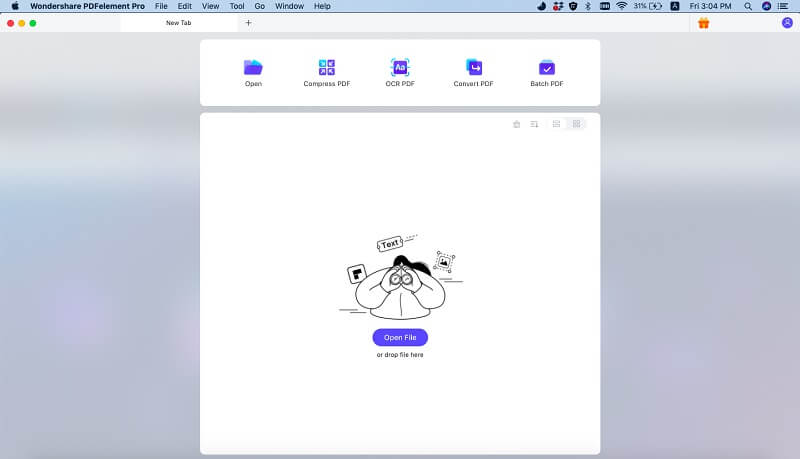
Run the PDF unlocking program and click "Open File" to import the encrypted PDF document. Simply click the "Convert" button on the upper toolbar to open the conversion window.
Step 2. Unlock PDF from Editing and Printing Password
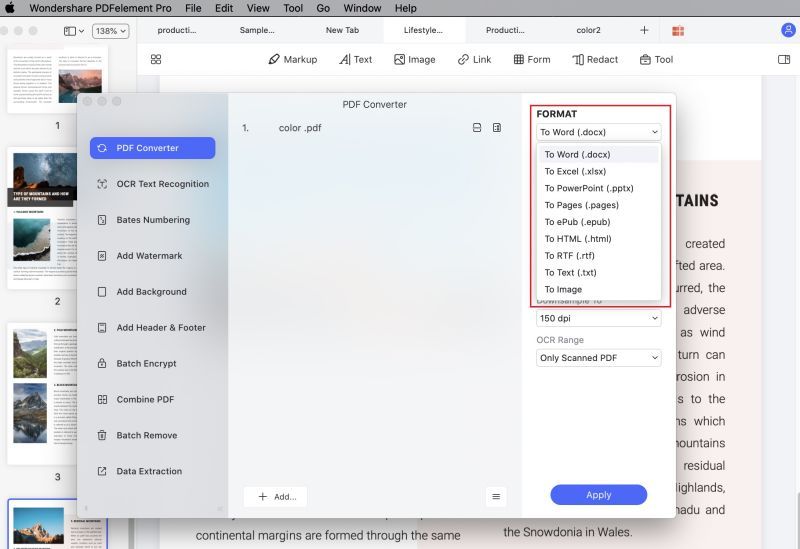
PDFelement Pro for Mac allows you to convert secured PDF to regular formats like Word, Excel, PowerPoint, and among many. To do so, you can make settings before unlock PDF and convert to your selected format. After it's done, click "Convert" to activate the conversion process, which will automatically remove the editing and printing password for your PDF.
Tips: How to Edit Secured PDF Text
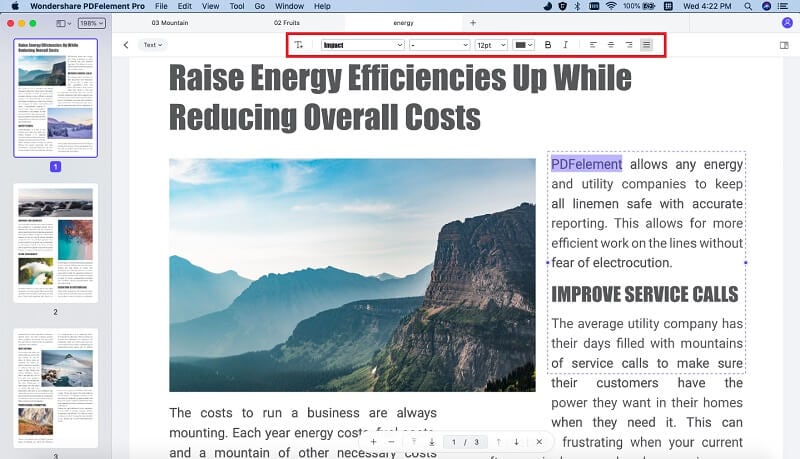
Edit Texts: Choose the "Edit" option in the toolbar, and double click any text in the PDF file to modify it within an editable text block.
Add Texts : Click "Edit > Add Text" in the toolbar and click on any area on the page you desired to add, modify, or delete text to enter text, correct the error, or click the "Backspace" to delete text.
Add Annotation : Click the Markup button and then choose an annotation tool to highlight, underline and strikethrough PDF texts, or add sticky note and drawings.
PDFelement Pro for Mac - The Best Way to Unlock Secured PDF
PDFelement Pro unlocks encrypted PDF documents and enables users to edit/convert even the encrypted PDF documents. In any case, this PDF unlocker program is capable of "unlocking" the read-only nature of your typical PDF file, such that you can now edit it as on a word processor document.
Key Features This Secured PDF Unlocker:
- Easily open and edit the secured PDF files.
- Batch convert multiple PDF files very quickly.
- Feature multiple editing tools to edit PDF easily.
- Secure PDF with password, watermark and signature.
- Convert PDF to Word, Excel, and other formats.
Part 2. How to Unlock a Secured PDF on Windows
Some Secured PDF files you can view but you cannot edit, print or copying the content from the PDF files. Nonetheless you can still unlock the PDF files using the exclusive PDFelement Pro.
Convert secured PDF to Word, Excel, PPT, Image, etc. Edit, delete, or add texts, images, and more in PDF. Create PDF from PDF, Webpages, images, text files, etc. Add password, watermark, signature and stamps to PDF. Edit and convert scanned PDF with built-in OCR plugin. Combine multiple PDFs, split PDF or compress PDF size.
Do you know how to unlock PDF for editing on Windows using iSkysoft PDF Editor? Well without any further ado let us start right away with the first step.
Step 1. Add Secured PDF to the Program
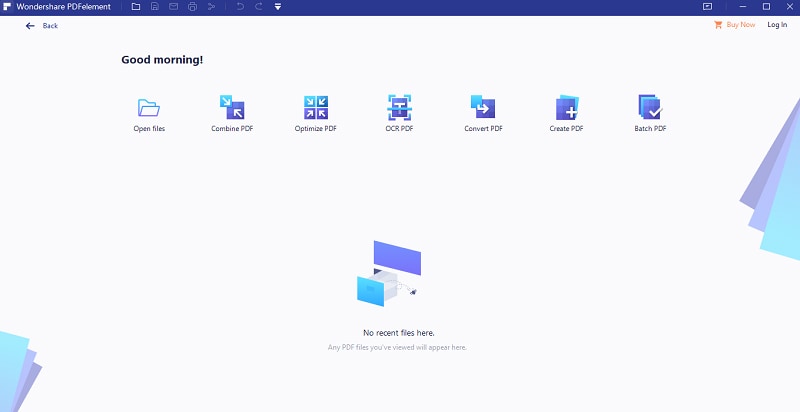
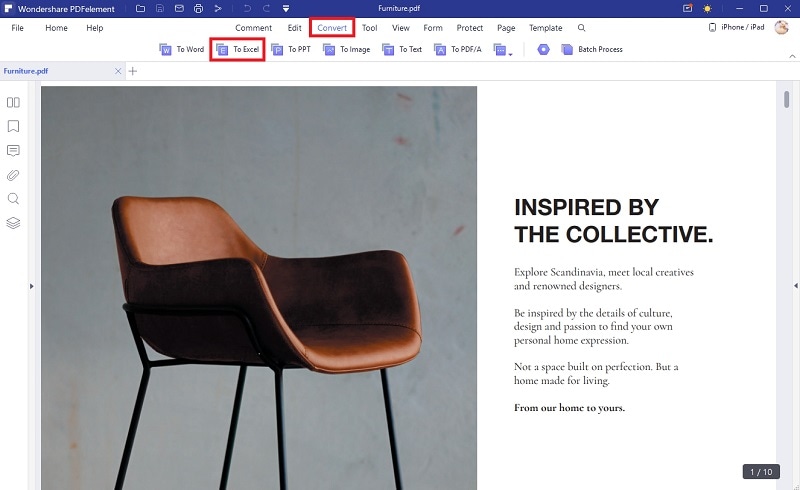
To begin with download the PDFelement Pro for Windows and install it on your computer. After doing so ensure that you open the downloaded program on your computer. Now, you need to open the PDF file that needs to be unlocked by clicking the "Open" button. Then navigate to the Home tab and click the Convert button.
Step 2. Unlock Protected PDF file
In the conversion window, choose any formats from word, plain text, PowerPoint or Excel just to name a few. Thereafter, choose the destination of your new file and start conversion by clicking Convert. By the end of this process the PDF password will be automatically unlocked thus letting get permissions such as editing, copying, printing and viewing.
Part 3. How to Unlock Password Protected PDF online
If you do not want the third-party software to unlock your password protected PDF file, then unlocking a password protected PDF file online using PDF.io is the best solution available at present. With the help of PDF.io, you can not only unlock a password protected PDF file for free but also you can perform all kinds of operations relating to PDF files. You can split, merge and rotate a PDF file easily. It's not only about organizing a PDF file but converting PDF to other format files like Word, Excel, PPT is possible as well as conversion can be done vice versa.
When it comes to security, you never need to worry about it as data is kept 100% safe and private. If the size of the PDF file is too high, compression of the PDF file is also possible. Thus, it is a free online PDF password remover that will make your task an easier one. Following, let's take a look at PDF.io, an online free solution that can be used to unlock password protected PDF file.
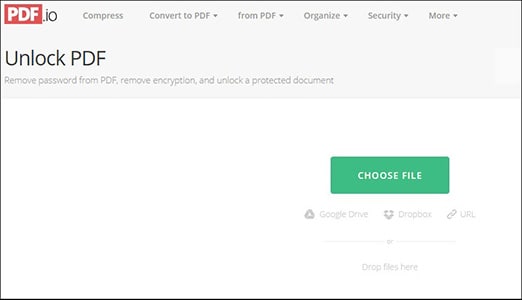
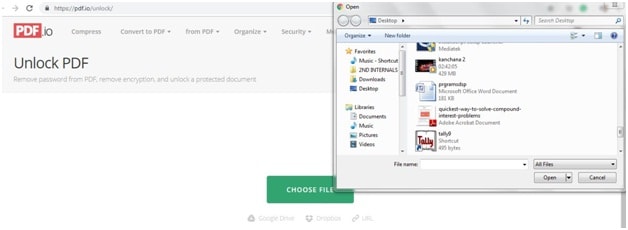
Step 1. In a browser open the official website. In the welcome or home screen, you will be prompted with "Choose file" option. Click on it to load the file. You can also access the PDF file with help of Google drive or from DropBox or URL also.
Step 2. Once the PDF file gets loaded completely, you will be asked to enter the respective password for the PDF file and the file will get processed automatically to get unlocked. Now, password from the PDF file will be removed and ready for your use.
Part 4. How to Find What Is Restricted on a PDF File
1. Open Restriction
Normally, the PDF owner will protect the PDF from opening. That means you even cannot open and view the file without the password. In this case, you can only get help from the encryption-breaking software. This would take you days to crack the lucked PDF file and can only crack the simplest password.
2. Permissions Restriction
If you get a PDF with permissions restriction, it means the secured PDF has been protected from printing, copying contents, editing, signing, and filling form fields and others. So even you can open and view such PDF, you can do nothing on it.
3. Find What Is Restricted on a PDF
When you receive a PDF file, how can you find out what is restricted on the file? You can use the below methods to find the restriction.
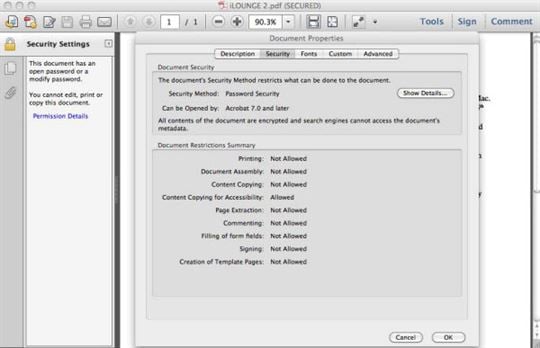
Open the PDF file with Adobe Acrobat. If the PDF has been locked with open password, you will get a pop-up window asking you to enter password. Now you only can get the password from the owner or use the encryption-breaking software.
If you do not need a password to open the PDF file, the file will be opened directly. Then you can view a Lock icon on the left pane. Click the icon and you will get a pop-up window showing the restriction details. Or you can click the Edit button to show the drop-down menu. The permissions restriction will be shown in grey and cannot click.
Ivan Cook
chief Editor