 Free Trial
 Free Trial
 / Posted by to
by Brian Fisher • • Proven solutions
MTS format is a high-definition MPEG, AVC, transport stream video file format which is commonly used by HD camcorders such as Sony, Canon, Panasonic. These files are also present on Blu-ray disc compilations, therefore they are capable of storing quite a large amount of information and data. As a video shooting enthusiast, you probably have lots of MTS files on your Mac. Due to the limited support for MTS file format on Mac, you may be facing these problems: cannot play MTS/M2TS on Mac, or on iPhone; have trouble uploading MTS files to video sharing sites like YouTube. To resolve all MTS file problems, you can try converting MTS/M2TS to other formats or DVD on Mac and playing them directly on Mac. Here we introduce the easiest way to convert MTS or M2TS on your Mac or Windows PC, as well as 5 best MTS File Converters.
- Part 1. How to Convert MTS to MP4, MPEG, AVI and other Formats
- Part 2. Convert MTS/M2TS to DVD on Mac
- Part 3. Recommend 5 Best MTS Converters
Part 1. Best Tool to Convert & Play MTS Files, Burn MTS/M2TS to DVD
We're here to teach you how to use an all-in-one video and DVD solution - UniConverter to convert and burn MTS videos so you can watch your movies on your iPad, iPhone, iPod, smartphone, TV, MP3/MP4 player without any hassle.
UniConverter - Video Converter
Get the Best MTS Video Converter:
- Directly load MTS/M2TS videos from Sony/Panasonic/Canon/JVC camcorders and then convert to 150+ video/audio formats.
- This MTS converter not only supports standard video format, but also supports conversion for HD video formats, online video formats and DRM formats.
- Edit MTS video files before conversion using features like Trim, Crop, add Effects/Watermark/Subtitles, adjust saturations, contrast, etc.
- The MTS/M2TS conversion process brings zero quality loss, and it converts 90X faster than most converters in the market.
- Transfer converted MTS videos to mobile devices like iPhone, iPad, iPod, Android phones and tablets with USB cable connected.
- Download online videos from 1,000 popular sites such as YouTube, Facebook, Netflix, Vevo, Vimeo, Hulu, etc. and then convert or burn them as needed.
How to Convert MTS to MP4, MPEG, AVI and other Formats
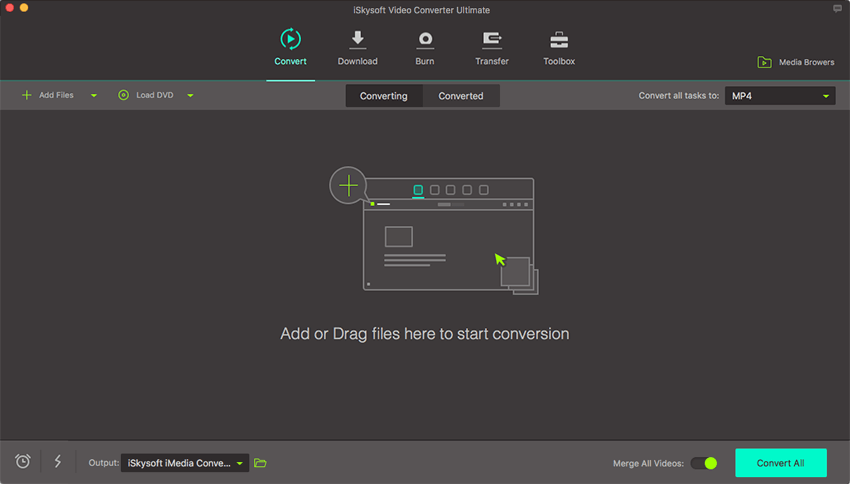
Step 1. Import your MTS videos into this MTS file converter
Here you can directly drag and drop your MTS videos to this video converting software. Meanwhile, by clicking the "Add Files" button, you can achieve that as well. This MTS video file converter also supports to directly load MTS files from mobile devices like camcorder, just click the drop down icon to see more options.
Step 2. Set the output format
In this step, you can select video format you want to convert MTS/M2TS videos to from Video tab, such as MP4, AVI, MOV, etc. You can also set the output resolution, quality, encoder, frame rate, bitrate or more encode settings by the Setting icon on the right side of each format.
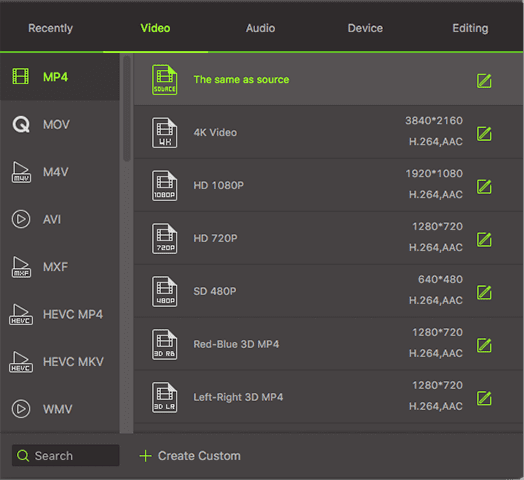
If you want to convert MTS files for editing with iMovie, "iMovie" preset is your choice. You can find it under the "Editing" section in the format list of this MTS converter Mac. Plus, there are optimized presets for iPad, iPhone, iPod, Samsung Galaxy, etc. Just choose these presets to convert MTS by this smart Mac MTS file converter. To change video settings, just click the "File" menu and choose "Encode Settings".
In addition, if you need to extract audio from MTS files on Mac, simply choose an audio output format in Audio section like MP3, M4A, AAC, etc. To play MP4 on iPhone, iPad, or iPod, you can directly choose the model in the Devices category. By default, the converted video will be automatically added to iTunes library so you can conveniently sync to your device. You're able to change this in the "Preferences" > "Convert" dialog.
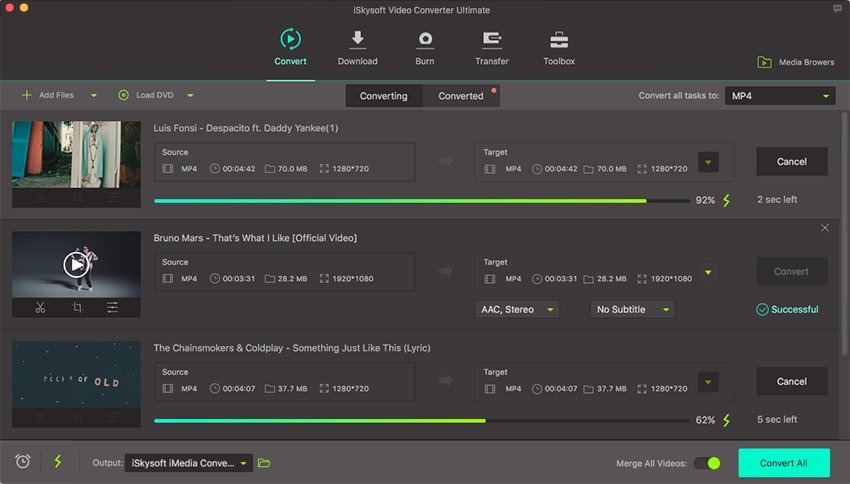
Step 3. Start converting MTS/M2TS videos
With one hit on the "Convert" button, you will achieve to convert MTS/M2TS videos to any format as you want within seconds. Then you can play your MTS/M2TS videos on any player as you want.
Part 2. How to Convert MTS/M2TS to DVD on Mac
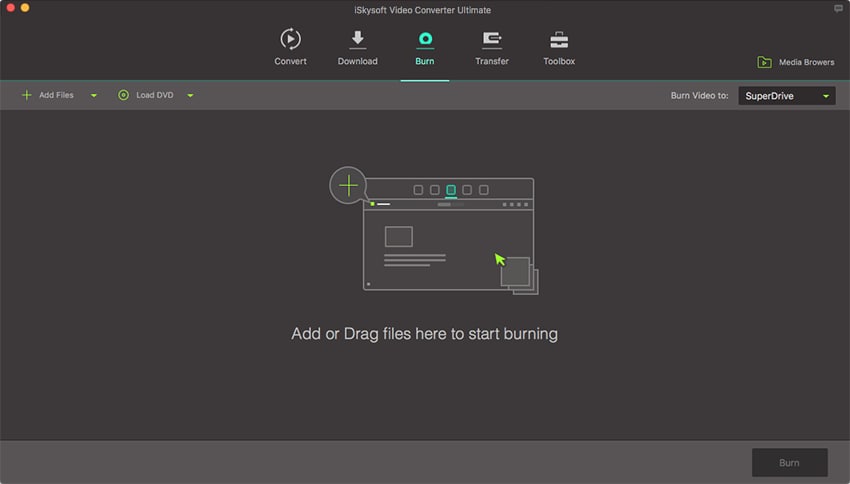
Step 1. Add your MTS media files to the converter
MTS files are high quality videos which can be sent to a DVD. Load the media files by dragging and dropping them, or use the "Add Files" option.
Step 2. Select the DVD format
Go to File and then select burn to DVD. You will have to select the kind of DVD that you have put. You can select DVD9 or DVD5.
Step 3. Burn to DVD
once ready go ahead and click on the “Burn” button and the burning process will begin. It will not take long for the high quality files to be written to the DVD. You can then use the DVD in your TV to see the quality of your work.
Why Choose UniConverter for Mac/Windows
What is the most important when you select a MTS/M2TS Converter for Mac? The following table shows you why UniConverter for Mac/Windows is highly recommended for you.
Recommend Another MTS Player to Play AVCHD MTS/M2TS Files
You can't play MTS files with QuickTime Player on Mac. QuickTime doesn't support MTS format. VLC Media Player is the recommended MTS player to play MTS files on Mac. VLC directly supports AC3 audio and video which are used to compress MTS files, without any other software/component/filter required.
Sony has released a program called "Picture Motion Browser" that it supplied for its camcorders and camera to browse and transfer photos/videos. You can use it to view MTS files, but this software doesn't work on Mac. You have to rely on other MTS player programs or VLC media player.
Cons of this AVI player (VLC media player):
- The player is not able to play MTS/M2TS videos with original quality
- You can't use VLC player on Mac with Mavericks

Part 3. Best 5 MTS Converters for Mac or Windows PC
#1. Handbrake
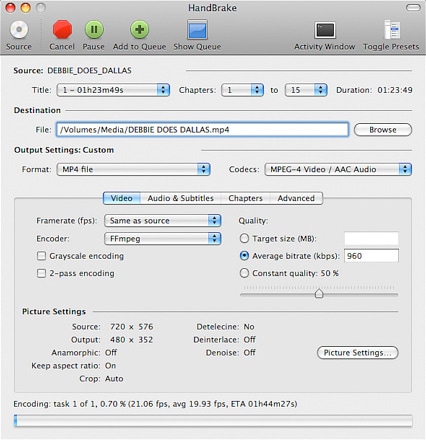
Handbrake is one of the most widely used video-converter platforms for a lot of users. Handbrake can enable you to convert videos to various formats which include: MP4, MKV, web etc. There is also the integration of new features that can enable the user to add presets in order to convert the videos. For the ease of the user, adjustable parameters are also available so that they can get the perfect result.
Pros:
1- Completely free
2- Offers multi-platform to the users
3- Enables the user to convert video into any format.
Cons:
1- A bit complicated for the beginner.
#2. VLC
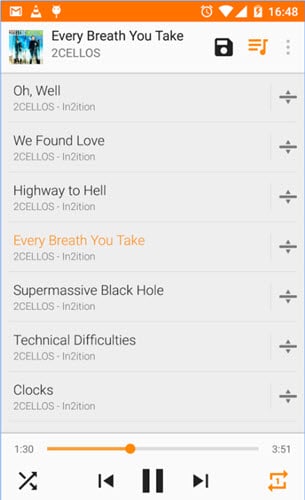
VLC media player is one of the most widely used media players which is available on desktop as well as mobile operating system. It is much diversified media player which supports audio and video compressions in many formats.
Pros:
1- Free and open source
2- Supports wide range of video format
3- No ads and spyware
Cons:
1- Out of date interface
2- Play back problem while playing DVD
#3. Aunsoft Video Converter
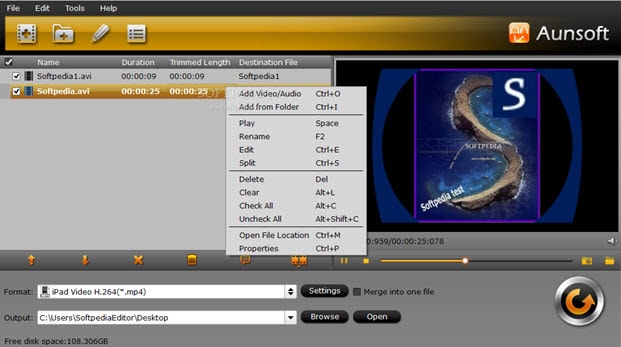
This also enables the user to convert videos in a wide range of formats. It is one of the best video converter tools which can help the user to convert and edit the videos. Video conversion can also be done on various devices such as iPad, iPod, HTC Hero, etc.
Pros:
1- It can cater wide range of formats
2- Easy-going and Fast speed
Cons:
1- The software will cost $35 to its user
#4. Aiseesoft video converter
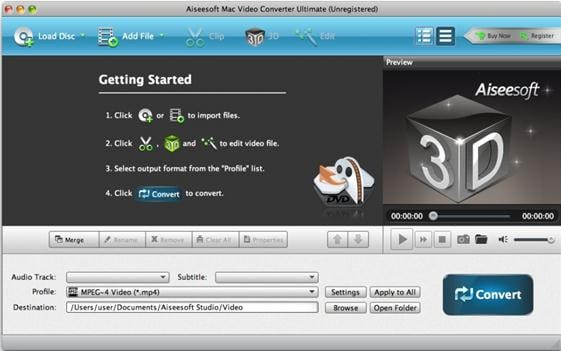
Aisesoft video converter works very well in order to convert any kind of audio or video to multiple file formats. The software can also be used on various devices such as iPad, iPhone, Samsung series etc. This converter also enables the user to convert videos into 3D file formats. Along with it, the user gets an option to edit the videos as per their needs and desires.
Pros:
1- Fast conversion
2- High-quality result
3- Multiple devices support
Cons:
1- Upon using default settings, the standard picture will be produced
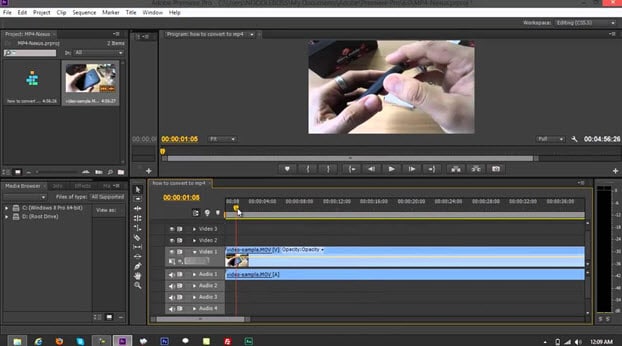
#5. Premiere media converter
Premiere media converter, which is a timeline-based video converter enables you to convert your favorite videos in a wide range of formats. It enables professional video editing. Premiere is a high-resolution software and supports 3D editing when used a long with CineForm's Neo line.
Pros:
1- Highly user-friendly
2- One of the best professional video editing software
3- Time saving
Cons:
1- Few features needs use of additional applications
Brian Fisher
staff Editor