AVI Player for Mac: How to Play AVI with QuickTime on Mac
QuickTime player can't open AVI?
AVI is among the most widely used file formats for videos today, but for Mac users, it's always not so easy to play AVI file with QuickTime player, especially when you have upgraded to the latest macOS 10.15 Catalina. Why can't QuickTime play AVI videos? As a container format, AVI is not a specific type of file and there is no single codec for videos with .avi externsions. This is the reason why you can't play AVI movies with Quicktime on Mac.
So how to play AVI on Mac?
Luckily, here are some simple solutions that allow you to play AVI on Mac. Choose the best AVI player for Mac from the introduction below!
Part 1. How to Play AVI Files on Mac
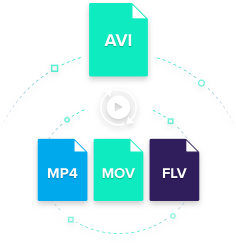
QuickTime player can't open AVI? Take it easy. Now with UniConverter, you can freely play any video on QuickTime after converting videos to compatible format like MOV. It makes the issue that QuickTime can't play AVI quite simple.
Get the Best AVI to QuickTime Video Converter:
-
Convert all popular formats: Convert your AVI file up to 150+ video and audio formats, like MOV, M4V, FLV, MKV, MP4, VOB, etc.
-
Optimized Presets: Directly convert files to fit iPhone, iPad, Android phones and tablets, even Game Console devices, etc.
-
Transfer to Devices: Easily transfer converted video or audio to mobile devices with USB cable.
-
Download Video: Capture or download any online video with the supplied media downloader from websites like YouTube, Vevo, Netflix, etc.
-
Custom Video: Personalize videos with diversified video editing tools like crop, trim, add effects, watermark, subtitles, etc.
-
Supported OS: Fully compatible with macOS up to the latest macOS 10.15 Catalina, and Windows 10/8/7/XP/Vista.
How to Play AVI Video with QuickTime Player on Mac
How to Convert AVI to QuickTime MOV for Playback on Mac in Steps
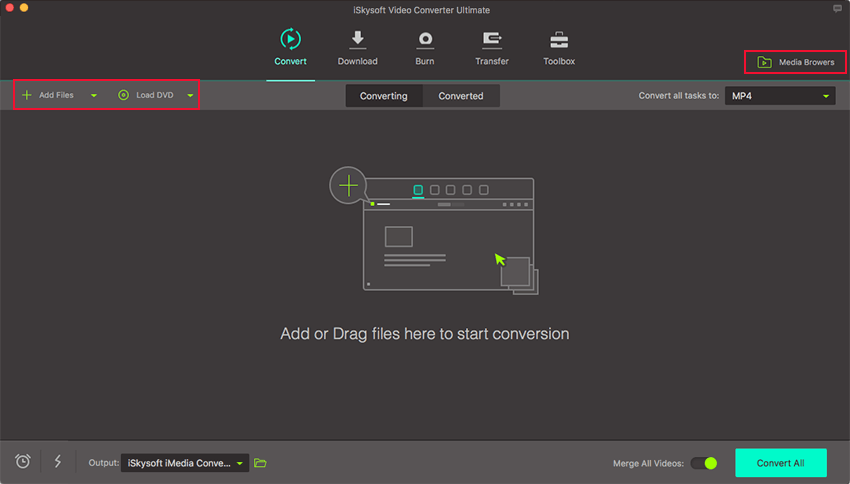
Step 1. Import AVI to the QuickTime Converter
After launching the program, open the local folder where you've saved the AVI file, then drag and drop it to the main interface of the program. The file will be imported immediately. Alternatively, you can click the "Add Files" button to import your AVI files or load from your mobile devices by the drop-down icon beside.
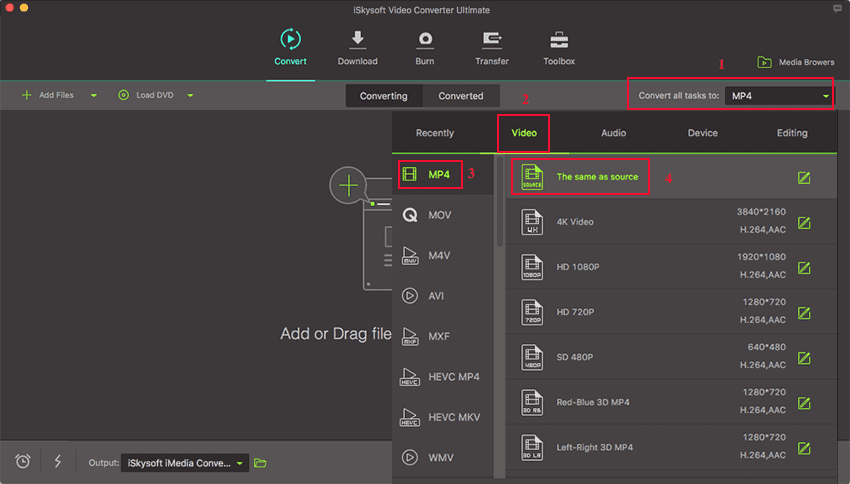
Step 2. Select an Output Format
To play AVI in QuickTime without hassle, you can convert AVI to MOV, MP4, or other QuickTime supported formats. Then select it from the "Video" tab in the format tray to set it as target output, where you could also set encode settings like bitrate, frame rate, resolution, encoder, etc.
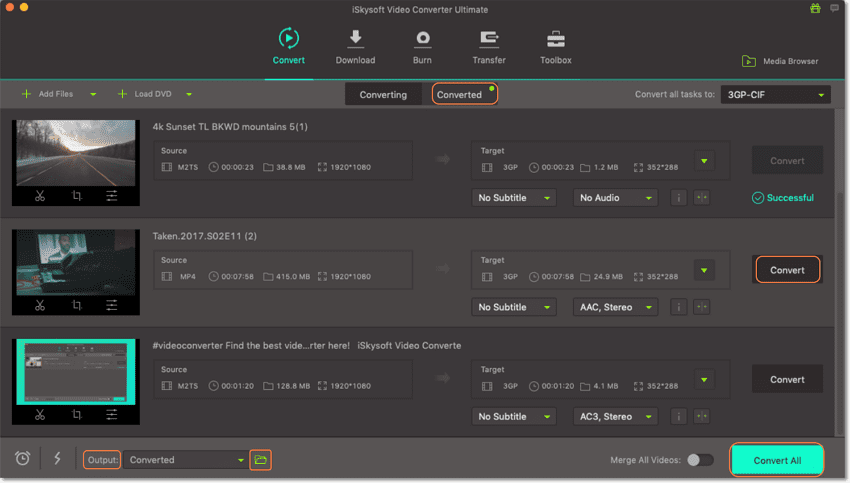
Step 3. Start Converting AVI to QuickTime Supported Format
Simple click the "Convert" button in each video clip or "Convert All" at botton right to convert all the imported videos, and the program will start processing the conversion. Then you will be able to play AVI files on Mac without any limitation.
Part 2. Free Online AVI to QuickTime MOV Converter
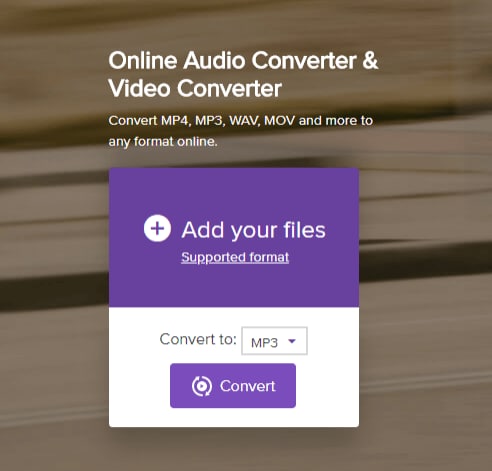
Are you looking for the best way to convert AVI to Quicktime MOV online? Well, it is simple as pie. With media.io, you can convert AVI to QuickTime within a few steps as shown below.
Step 1. Go to media.io website on your browser.
Step 2. When on the website click on “Add your Files” icon which allows you to access your local folder and upload your AVI file.
Step 3. After uploading the AVI file, you need to set its output file type. Click on “Convert to” and choose “Video” option.
Step 4. From there, move to the next step and choose the output format. Select “MOV” format from the list.
Step 5. Next, click on “Convert” icon, which prompts the program to begin to convert AVI file to MOV immediately. When the conversion process is complete, you can download the MOV format to your computer.
Part 3. 5 Other Solution to Play AVI on Mac
1. QuickTime Component: Perian
The QuickTime player is mostly used in macOS, if you don't want to use the first solution to convert the AVI files to QuickTime compatible formats, you can try this solution.
Note: This method doesn't 100% work guaranteed.
Perian, is a great open-source QuickTime component that allows playback of different video formats that cannot be played natively on your Mac computer. If you want to use QuickTime as your main video player, you may choose to download Perian because it provides the necessary codecs or components that will allow you to play AVI on Mac. If you have QuickTime 7, you may be glad to discover that it can actually play AVI files without needing any additional plug-ins and codecs.

What you need to know before downloading Perian:
-
The latest version 1.2.3 of Perian doesn't work on macOS Mavericks because Perian requires installation of quicktime 7, which doesn't exist for Mavericks. It also doesn't work on Mountain Lion.
-
With a Mac running macOS 10.7, say, Lion, you have to downgrade to the previous version, say 1.2.2. The version of 1.2.3 of Perian does not support QuickTime 10 in Lion and fails to fix the loss of audio after one second in xvid files with ac3.
-
Before installing Perian, you need to remove all QuickTime Components installed on your Mac, like FFusion, Xvid Delegate, 3ivX, DivX, DivX Decoder, XviD, msmpeg4v1, msmpeg4v2, AviImporter, EX_M4S2, Casio AVI Importer, AC3 Codec, and MatroskaQT.
-
For a Mac running Mountain Lion or later, converting AVI video to QuickTime is highly recommended.
2. Elmedia Player: Universal Media Player
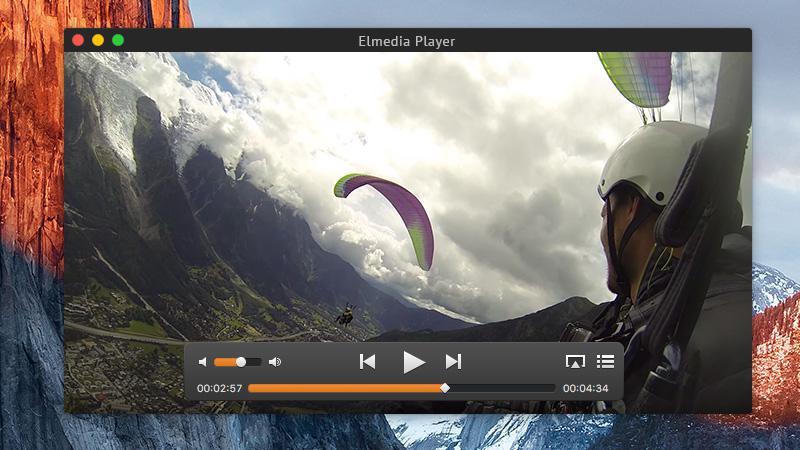
Flared with meeting user’s expectations, Elmedia Player is a renowned multi-media player amongst the users for playing high quality AVI files on Mac. Elmedia is equipped to compatibly work down with a good range of formats such as MOV, FLAC, FLV, MP4, AVI and others over your MAC device. This versatile AVI player ensures to display videos and their subtitles in a very good quality without sacrificing the state of the video played on your Mac. Elmedia ensures to maintain the speed of the playback music, adjust the image on the screen and play/pause the video in a continuous loop. With this media player, you get the leverage of making adjustments over the audio by controlling the audio equalizer. Users can even view videos in an amazingly clear HD, all thanks to its hardware accelerated decoding imbibed in the software.
3. VLC Media Player
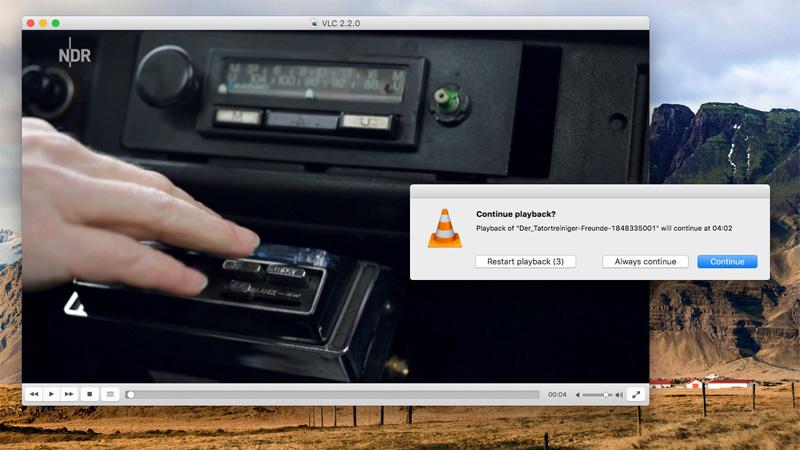
VLC Media Player is one of the popular open source multimedia player that can easily play AVI files available on your Mac without having to spend a penny from your pocket. Not only can you play the AVI files but tune into your DVD, audio CD’s, VCD’s and other popular streaming formats using this media player. VLC Media Player ensures to process the video in a very high speed due to its good hardware decoding. Any user can easily make use of this free application as it is very user friendly and has a robust interface. Moreover, this multimedia player allows users to fully control the media files by defining subtitles on your videos, setting audio and video preferences and maintain the processes of playing the soundtracks etc. You can even synchronize subtitles and audios over the video to make it more enhancing and appealing.
4. Macgo Mac Media Player
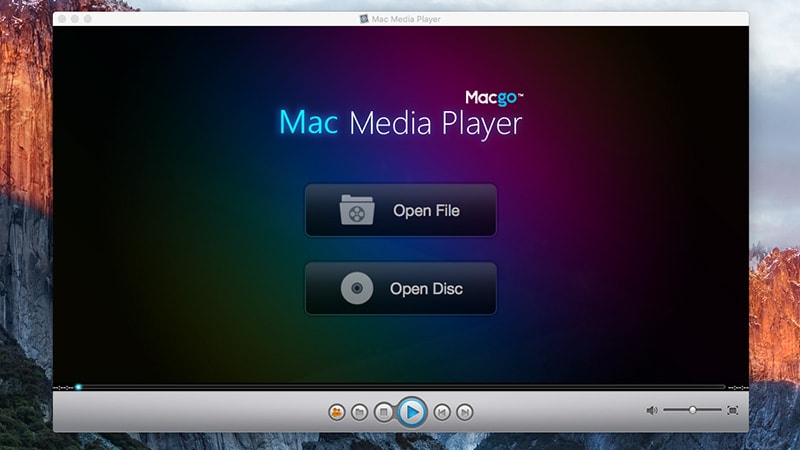
MacGo Mac Media Player is a Windows/iOS friendly Media Player which can slay its users by providing a magnificent definition of 1080P/4K Video and a whopping audio system of DTS 5.1. With such ultra- functionality, you can trouble-free play AVI on Mac and experience the feel of a home theater right from your Mac. With Macgo, users are not limited to playing AVI files but access the view for MP3, WMA, MPEG, VideoCD and the list goes on and on. Not only that, Macgo is one of those ideal players that ensure to keep their users updated with the minutest upgrades and services. One can even play the internal and external subtitles simultaneously over the selected AVI file. Plus, one needn’t to worry about the quality being affected as Macgo balances the quality and filters together.
5. DivX AVI Player
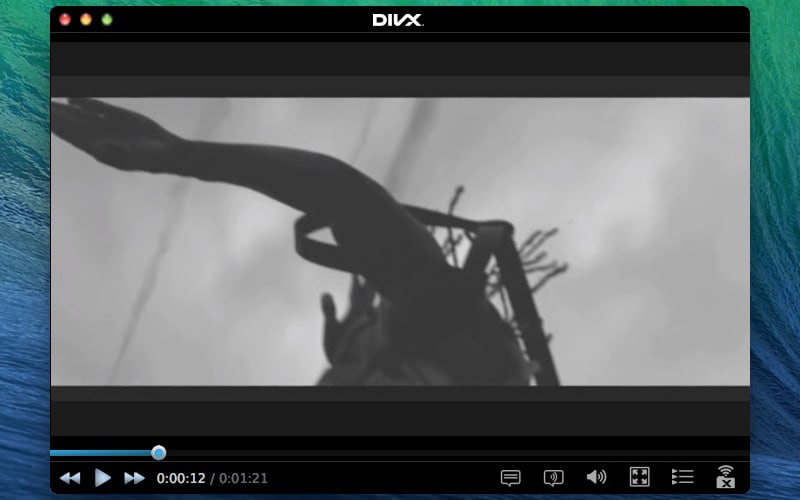
The last in our list for best AVI player is DivX- a user friendly media player for conveniently playing the AVI files on your Mac. DivX ensures to give excellent audio-video visual to the users. Its exceptionally powerful playback features include desktop dimmer, window fade and a full screen option can easily skyrocket the level of the AVI file. One of the rarest features that are not found in other media players is that there is a provision of burning any range of media file into discs but with DivX you can. Moreover, the users can also stream an array of videos, audio, music and photos to DLNA based home/remote devices. The AVI file can be redefined by setting the bitrate, video resolution and the size of the file.
Tips: Switch to Other Media Player for AVI Playback
The VLC media player, is an excellent open-source media player that is known for supporting a wide range of audio and video files. Unlike other media players which have limited format-support, you will be surprised that VLC can play a video or audio file that you didn't even know existed. If your OS is Snow Leopard or higher, installing VLC is definitely a good choice especially if you only plan on watching AVI files on your computer.
Cons of this AVI player (VLC media player):
-
VLC player doesn't play AVI videos with high qualities.
-
VLC player doesn't support Mavericks.

Brian Fisher
staff Editor