iSkysoft PDF Editor for Mac


PDF Editor for Mac

  • Add, delete, and modify elements like text, images, and graphics in PDF.
  • Easily turn native PDF to Microsoft Word documents.
  • Full control on PDF pages: move, insert, delete, extract, crop and rotate.
  • Mark and annotate PDF documents effortlessly.
  • Fill out PDF forms with interactive fields.

Version: 2.0.1Only $69.95

Version: 3.0.1Only $49.95


PDF Editor Pro for Mac

  • Includes all the features of PDF Editor for Mac.
  • Convert PDF to Excel/PPT/EPUB/HTML/Texts, in addition to Word format.
  • Edit and convert scanned PDF files thanks to OCR.
  • Convert scanned PDF files to Word, Excel, PPT, EPUB, HTML and Texts.
  • Fill out PDF forms and create PDF forms from templates.

Version: 2.0.1Only $69.95

Version: 3.0.1Only $99.95

 
"Great alternative to Acrobat and value for money. It runs well on my Mac. These days I usually prefer to use it as a PDF reader. Makes annotating PDF easy for me!"- Reviewed by Erika

Why Choose iSkysoft PDF Editor for Mac

iSkysoft PDF Editor for Mac has everything you need to make PDF editing as easy as in a Word processor. This PDF Editor comes with powerful editing tools which allow you to fully edit and add texts, images, notes, links, watermarks, etc. Moreover, it enables you to convert native PDFs to Microsoft Word documents, saving you the trouble of creating new Word documents. You are allowed to control PDF pages by moving, inserting, deleting, extracting, cropping and rotating. If needed, you can markup and annotate PDF documents, as well as creating and filling out PDF forms effortlessly. With the PDF Editor Pro version, you can even convert and edit scanned PDF files after performing OCR.

pdf editor for mac

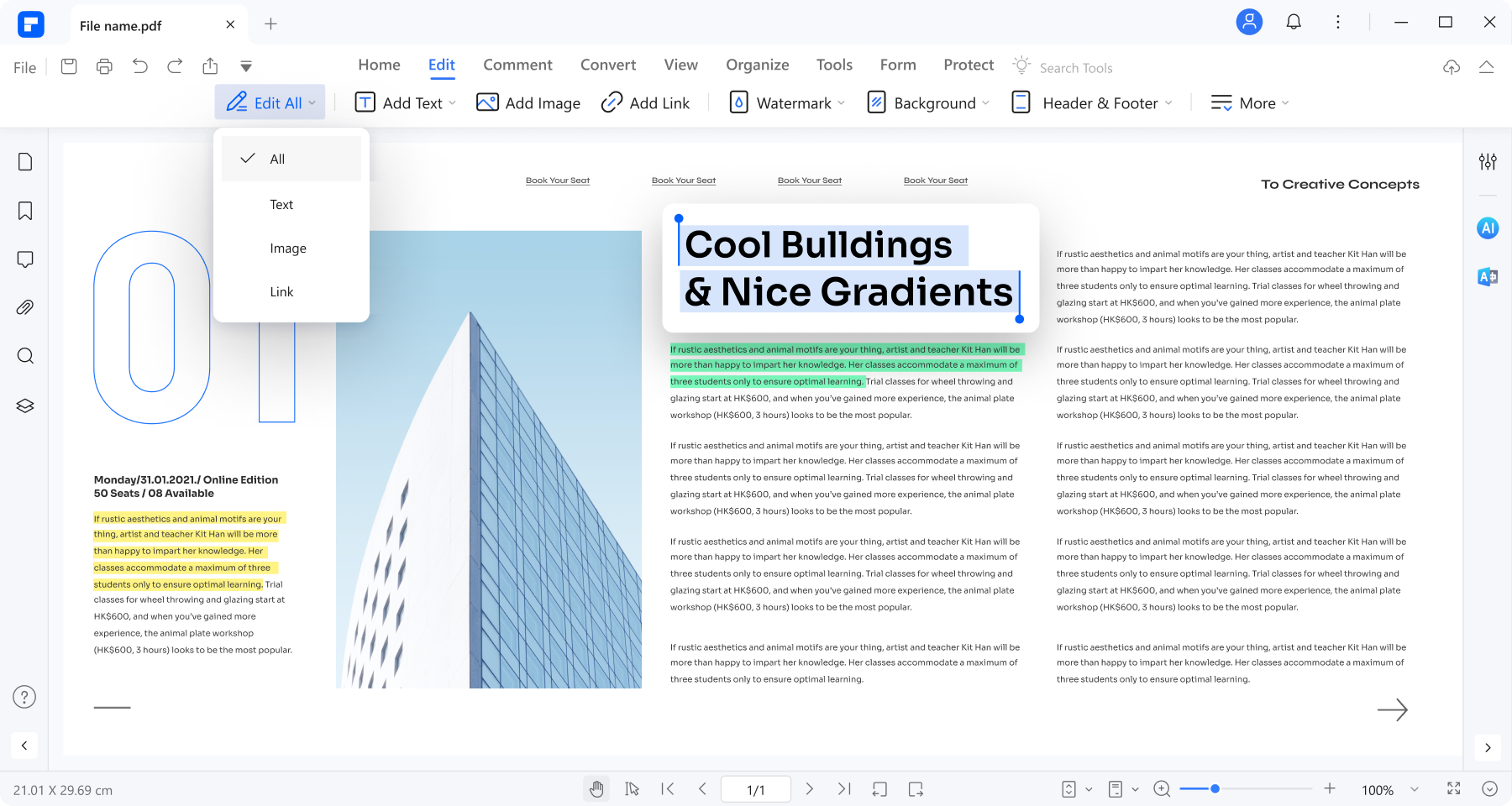
Edit PDF Like a Word Processor

Now edit PDF documents can be as easy as in Word processor. Click anywhere in a PDF document and you will be able to add, delete and replace elements like texts, images, graphics, links, watermarks, etc. Its auto-matching system will make the added text the same as the original one. 


edit pdf on mac

Mark-up and Add Notes

It comes with a suite of handy tools allowing you to highlight, cross out, underline and add sticky notes, texts box, arrow, line, rectangle, oval, polygon, cloud and free-hand drawings, etc. These tools make it convenient and easy to grasp for you to markup and add notes to PDF files.


pdf editor mac

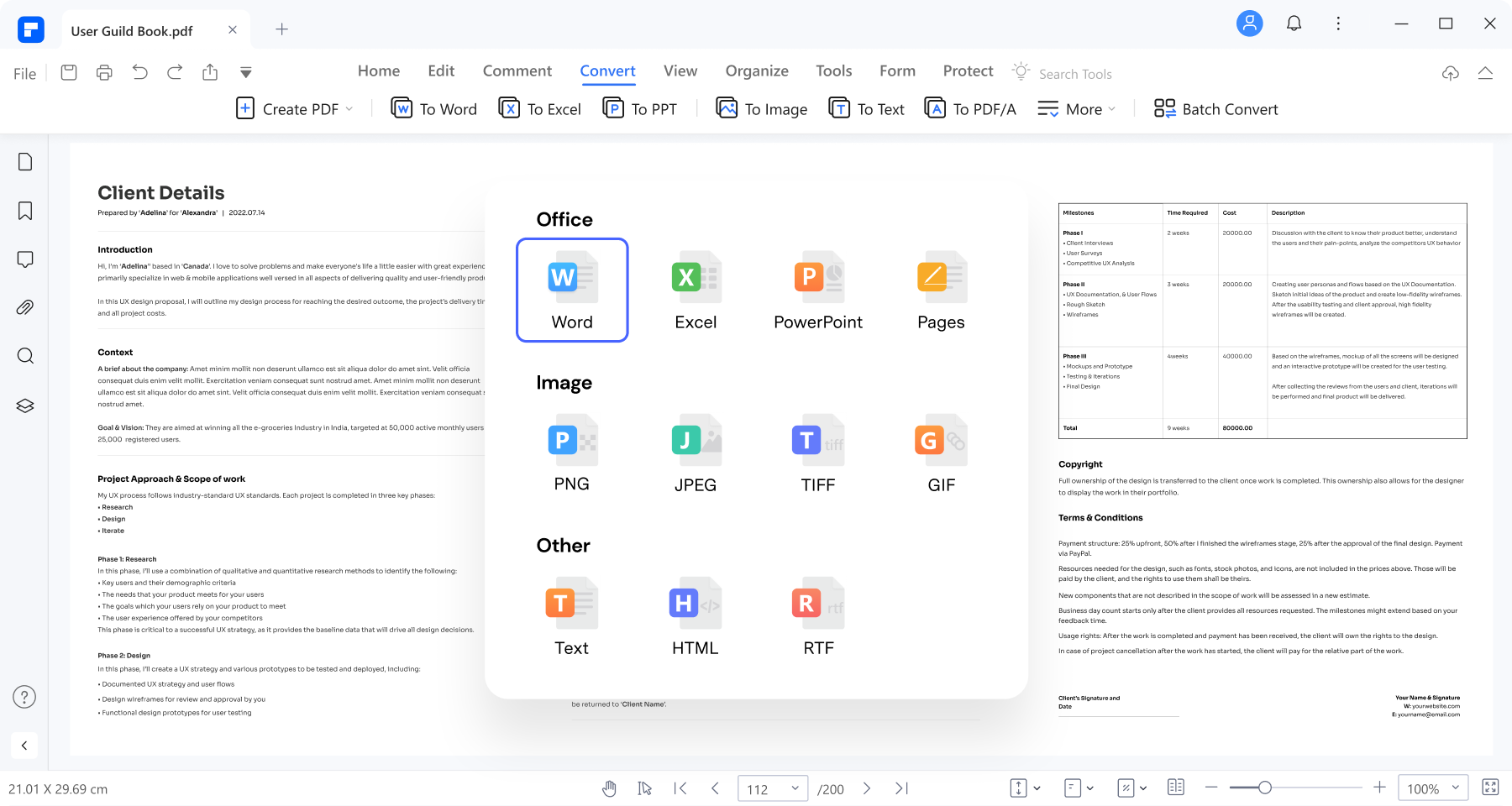
Convert PDF to Diverse Formats

Convert native PDF files into perfectly-reformatted Microsoft Word documents. It supports Multiple Word formats, such as Doc and Docx. You can even get more output formats such as Excel, PowerPoint, EPUB, HTML, images and plain texts by using PDF Editor Pro version.


pdf editing software

Full Control on PDF Pages and Documents

You can create new PDF documents based on existing PDF files by removing unneeded pages, adding new pages and rotating pages. PDF Editor makes it possible to rearrange PDF documents using drag-and-drop. In addition, it allows you to split and combine PDF files with ease. 


pdf editing application

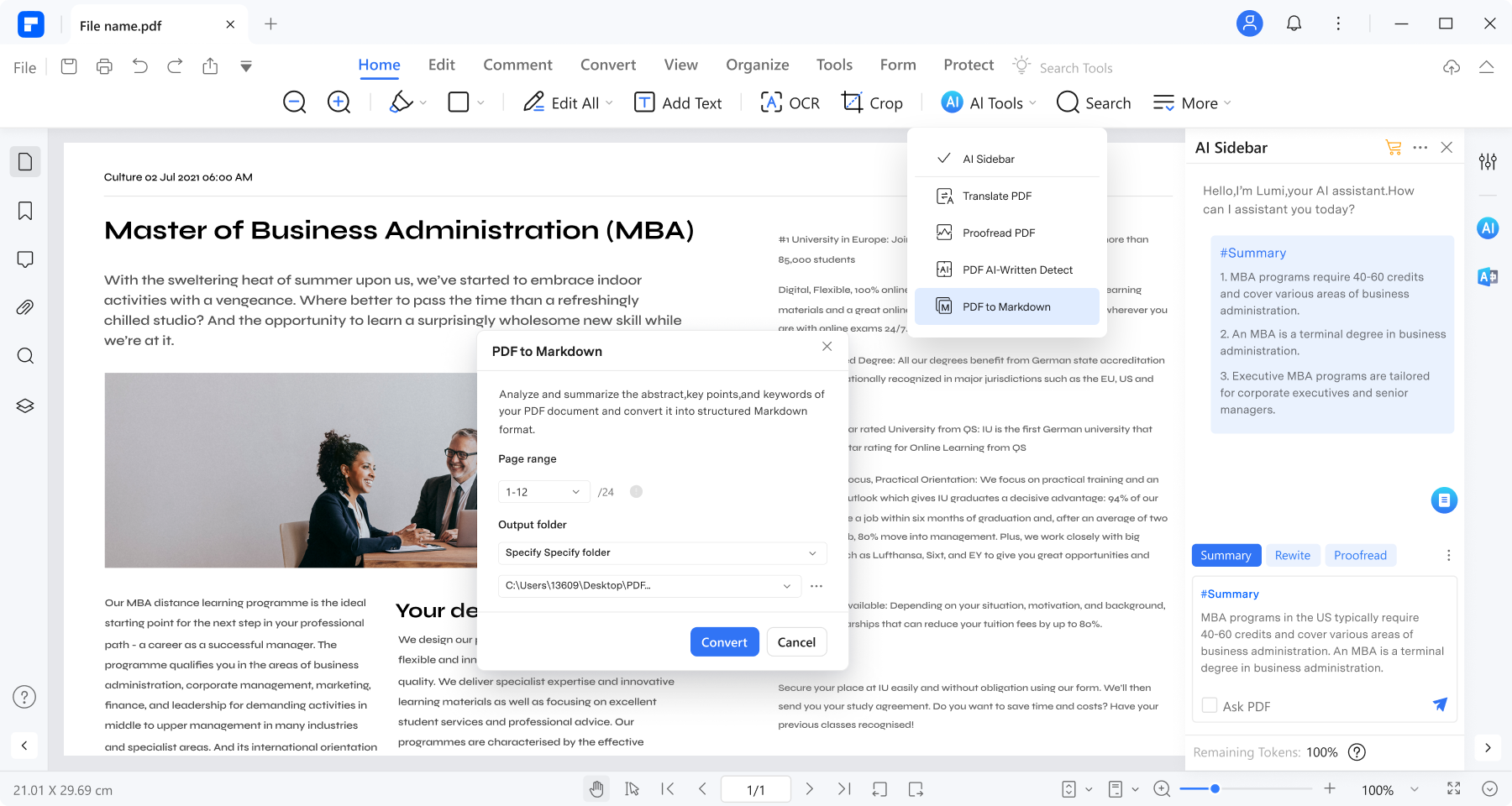
Edit and Convert Scanned PDF with OCR

The fast and accurate OCR technology makes it possible to edit scanned PDF files as your need and convert scanned PDF to multiple formats for reusing, such as Excel, PowerPoint, EPUB, HTML, images and plain texts. The OCR feature is only available in PDF Editor Pro for Mac.


pdf editor for Mac form

Easily Fill out Forms and Create Forms

PDF Editor lets you to fill out PDF forms effortlessly. You can export and import PDF form data to fill out PDF forms quickly and easily. It's also easy to create PDF forms with interactive and non-interactive text fields. Download templates here and customize your own PDF forms easily.


Comparison

Choose the

PDF Editor Mac
that is best for you

pdf editor mad
PDF Editor for Mac
pdf editor pro mac
PDF Editor Pro for Mac
Buy or Try
Free Download
Free Download
Buy Now

Free Download
Buy Now
Main Features

Supports OCR

Edit and convert scanned PDF with cutting-edge OCR technology.

  supported

Create PDF Forms

Create and edit PDF forms from downloaded templates.

  supported

Fill out PDF Forms

Automatically highlights interactive fields so you can fill out forms without any hassle.

supported supported

Powerful Conversion

Convert PDF to Excel/ PPT/ EPUB/ HTML/Text

  supported

Convert PDF to Word

Convert native PDF to Microsoft Word documents

supported supported

Edit PDF text, images and graphics

With a new point-and-click interface, editing text and images is so easy.

supported supported

Insert, Delete, Extract PDF pages

Insert, delete and extract PDF pages easily

supported supported

Merge and Split PDF files

Merge an array of PDF files into a single PDF or Split a large PDF into small ones

supported Supported

Annotate and Add Watermark

Add/edit/delete annotation and watermark

supported Supported


You May Be Interested in These Items

iMedia Converter Deluxe for Mac

$79.95 $59.95

iMedia Converter Deluxe for Mac

The ultimate all-in-one multimedia solution for Mac

Video Converter for Mac

$45.95 $35.95

Video Converter for Mac

Convert video to and from any popular format ultra-fast and with zero quality loss.

iTube Studio for Mac

$29.00

iTube Studio for Mac

Download online videos from YouTube and other video-sharing sites to play on any device.

 
Secured Shopping
Customer Service
30 Days Money Back
Satisfied Customers