Why Choose iSkysoft Slideshow Maker?
We've all got piles of precious photos just sitting somewhere. In the digital age, it's about time we all meld our photo and video memories into eye-catching showcase to share with family and friends on DVD, YouTube, Facebook, iPad and more. With Slideshow Maker for Mac, you can simply drop in your photos, video and music, add some custom-built themes and you've got a gift that'll last forever.Thanks to this tool, I—a 70-year-old grandma who can't even program her DVD player—is creating professional looking DVD slideshows of the whole family at play. Such an intuitive experience.
--Stella Murray
A Variety of Custom Themes
A Variety of Fantastic Themes
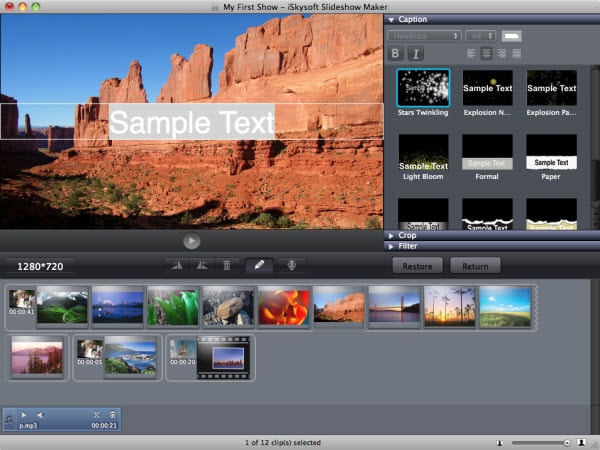
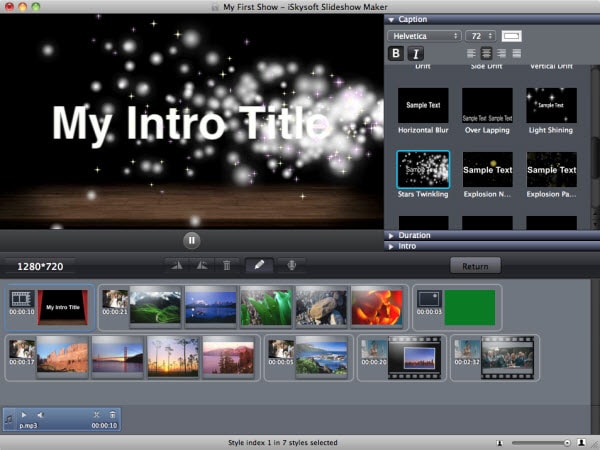
It features 30 unique theme templates ranging from holiday to travel to film strip and scrapbook, allowing the most inexperienced user to create professional slideshow. Besides, 3D themes give the slideshow a realistic sense. It is possible to apply more than one theme to the same show.
Simply drag and drop
Many of the tasks can be done with this drag and drop functionality. You can drag in a song, video clip or photo from iTunes and other source folder to the workspace, and even styles can be applied using drag-and-drop.

Take Your Slideshow Movies A Step Further
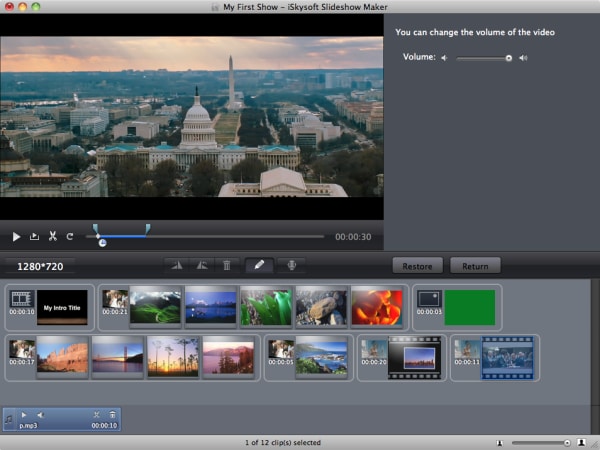
Video Editing: In addition to a myriad of interesting features, Slideshow Maker provides a solid editor for perfecting your work. It offers the ability to crop, rotate and add special effects like Black & White, X-ray, Flipped, Sepia, etc.
Background Music: Background music is important to set the tone of a show. Add your favorite music to play at the background while showing your slideshow. The music editor makes it easy to sync your background music and video.
Storytelling: With one click, you can add voice-over, animated captions and narration to your movies, making the story more interesting and easy to understand. An array of intro and credit templates also let you present your movies and its cast.

Your Movie, Your Ways to Share
Save to computer for later watching
The intuitive interface allows you to directly upload finished work onto YouTube. It’s also easy to export slideshow directly to iTunes and transfer them to your iPhone, iPad, iPod, Apple TV etc.
Directly burn your movies to DVD
Duplicate physical copies of your movies with the super fast in-app DVD burner. It also works perfectly with iDVD to burn your shows to DVD. It’s a great alternative to iMovie and iDVD combination. Since iDVD has disappeared from Mac OS X Lion and Mountain Lion. iSkysoft Slideshow Maker comes in when you need to make movies and share on your big screen TV.
Slideshow Maker for Mac More Features
We Promise

Product FAQS
Quick Links
You May Be Interested in These Items
iMedia Converter Deluxe for Mac
An ultimate solution to convert videos/DVD movies, burn DVDs, download and edit videos.
Video Converter for Mac
Convert video to and from any popular format ultra-fast and with zero quality loss.
Video Editor for Mac
Easily enhance your video and make a dazzling movie to amaze family and friends.

Choose your country