/ Posted by to
by Brian Fisher • • Proven solutions
iPad's high definition display enables iPad perfect for enjoying music videos, HD movies, TV shows, and more. Sometimes you might need the help of HandBrake to import some DVD videos or movies to your iPad but have no idea about the perfect settings for iPad. In fact, there are some presets for Apple devices: iPhone & iPod touch preset available for all Apple devices, the preset for Apple TV available for Apple TV or iPad.
Get Detailed Handbrake Settings for iPad
If you want to use Handbrake to convert DVD or video to iPad Pro, you can only choosea few iPad settings, you can only choose the common iPad settings shown below, no 1080p HD output video available. But you can use the alternative: UniConverter, which provides optimized presets for iPad (iPad Pro included). It can easily and quickly convert DVD movies and any video to iPad format, without worrying about all the settings.
UniConverter - Video Converter
Get the Best Alternative to Handbrake:
- Convert video/audio from over 150+ formats – this is your one-stop shop for video conversion because it is compatible with over 150 video and audio formats.
- 90X conversion speed – this is very fast and will convert your video in a fraction of the time you used to do it.
- Internet video – grabs internet video and adds it to your projects with ease.
- Inbuilt editor – edit all your projects before rendering them to the final output.
- No quality loss – you do not lose any video quality in the conversion process.
3,981,454 people have downloaded it
Handbrake Settings for iPad using Apple TV Preset
Apple TV and iPad support higher resolution, so preset for Apple TV is recommended if you would like to make the most of your iPad's HD feature and enjoy HD movies or videos on your new iPad.
Step 1. Load video files or DVD to Handbrake
Step 2. Set Apple TV preset
If you would like to rip commercial DVDs (excluding Blu-ray DVD movies), the Apple TV preset works perfect.
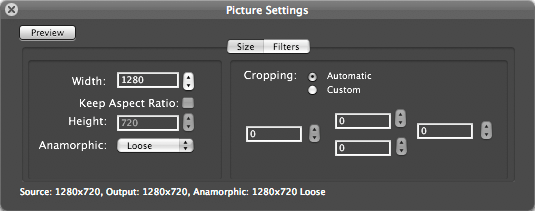
If you want to convert HD videos, you can go to Picture Settings and set the resolution up to 1280 width.
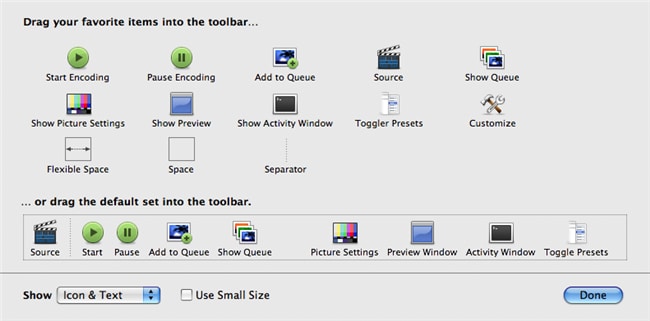
Note: If the Picture Settings doesn't appear in the toolbar, you can right click the toolbar and then drag and drop the "Picture Settings" icon to the toolbar.
Step 3. After that, click the "Start" button and then Handbrake will do the rest for you.
Handbrake Settings for iPad using iPhone & iPod touch Preset
If you would like to play your video on all Apple devices like iPhone 7/7 Plus/SE/6s/6s Plus/6/6 Plus/5s/5c/5/4s, iPad and iPod, you can choose the iPod preset which will provide a smaller size for output file than Apple TV preset does. However, the picture with lower quality than the preset for Apple TV does. To convert DVD videos and movies to iPad by using iPhone & iPod touch preset, it's similar with using Apple TV preset. Just set the resolution to 480 height and then the output video file will be supported by all Apple devices.
Brian Fisher
staff Editor