/ Posted by to
by Brian Fisher • • Proven solutions
From Apple's website, only AVI files that are encoded in the specified codec are supported by iPad. Unfortunately, it's a less-commonly-used type of codec used for AVI files. This is a huge roadblock, as AVI is one pretty much the go-to standard-definition format for video content on the Internet and for video editing software. In this article you'll learn about: What types of AVI files are compatible with iPad; How to play AVI on iPad after conversion; how to play compatible AVIs on iPad; and frequently asked questions about playing AVI on iPad. Here we go: Compatible AVI files with iPad: Motion JPEG (M-JPEG) up to 35 Mbps, 1280x720 pixels, 30 fps (frames per second), audio in ulaw, PCM stereo audio in .avi file name extension.
So how do you know whether your AVI files are supported or not? It's easy. Since AVI files can contain nearly any codec besides M-JPEG, an easy method is trying to play AVI with QuickTime player. If it's playable with QuickTime, chances are that you can play the AVI file on your iPod. Otherwise, you need to find a workaround. Now you're in the right place to see how to play AVI on iPad.
- Part 1: The Easiest Solution to Play AVI on iPad (For Mac Users)
- Part 2: How to Play AVI Files on iPad (For Windows Users)
Part 1: The Easiest Solution to Play AVI on iPad (For Mac Users)
If you've already tried and failed to play AVI on iPad, no matter the files are downloaded from the Internet or shared by your friends, you are highly recommended to convert AVI to iPad supported formats like MP4, MOV or M4V on your Mac (macOS Sierra, El Capitan, Yosemite, Mavericks and Mountain Lion included).
Two of the most important things to remember when converting AVI to iPad Mac are video quality and conversion speed. Preserving the original quality of the video is specially important when you have some HD AVI movies and want to play AVI on iPad. A fast AVI to iPad converter will save you lots of time so you can watch AVI on iPad as soon as possible. One tool that meets this challenge is UniConverter, which lets you convert AVI to iPad on Mac with zero quality loss. This Mac app is specially designed for iPad users to deal with the AVI incompatible problems so it provides optimized preset for iPad, which means you are only required to click your mouse once or twice to make any AVI compartible with your iPad Pro, iPad Air and iPad mini.
Get the Best iPad Video Converter - UniConverter
- Versatile Converter - UniConverter can convert more than 150 video and audio formats, making it a truly versatile and powerful tool for a video enthusiast.
- Speedy Conversion – The conversion process is accelerated and can run at speeds of up to 90X. This is a very fast speed and all work will be complete in no time.
- Exceptional Quality – The quality of your video is kept intact, so you should not fear converting you HD videos using UniConverter.
- Edit Videos – Unlike other converters, you will not need an external video editor for your video. You can edit it right from within UniConverter.
- DVD Toolkit - Burn your DVDs and watch them on your home theater or send to friends. You can also distribute the videos on Internet sites like YouTube, Facebook and Vimeo.
Simple Guide to Play AVI Files on iPad with the Help of iSkysoft
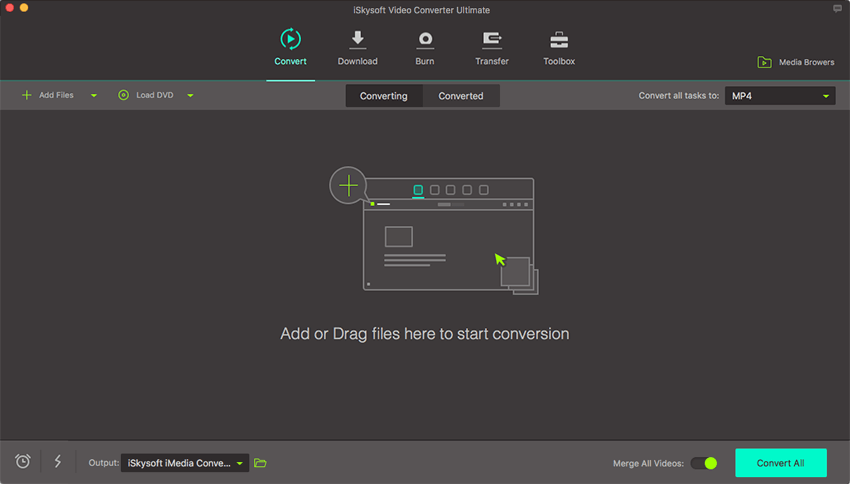
Step 1. Add AVI files to iPad Video Converter for Mac
You can directly drag and drop the videos on your Mac to the app. This iPad Video Converter supports batch conversion, so you can add several files at one time. It saves your time and energy.
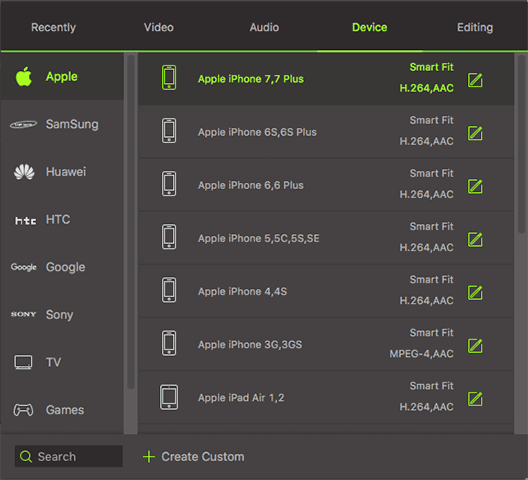
Step 2. Select iPad preset from format list
In the format column, choose iPad preset based on your iPad model, e.g. iPad Pro, iPad Air. This app has optimized the video settings for iPad, so you needn't to set the format, video resolution and more by yourself.
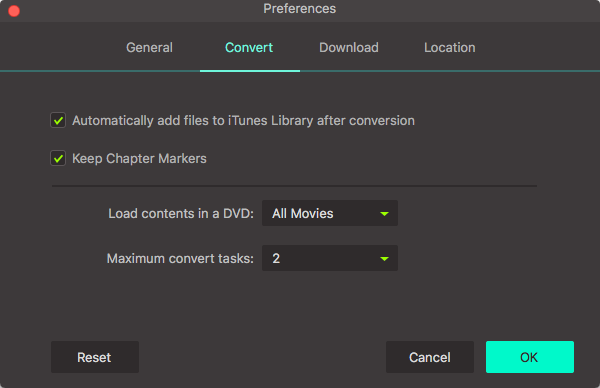
Step 3. Start AVI to iPad conversion on Mac
After everything is ready, you can click the "Convert" button, leaving this app do the rest for you. And if you want to add converted videos to iTunes, please choose "Add files to iTunes Library after conversion" by going to the "File" menu.
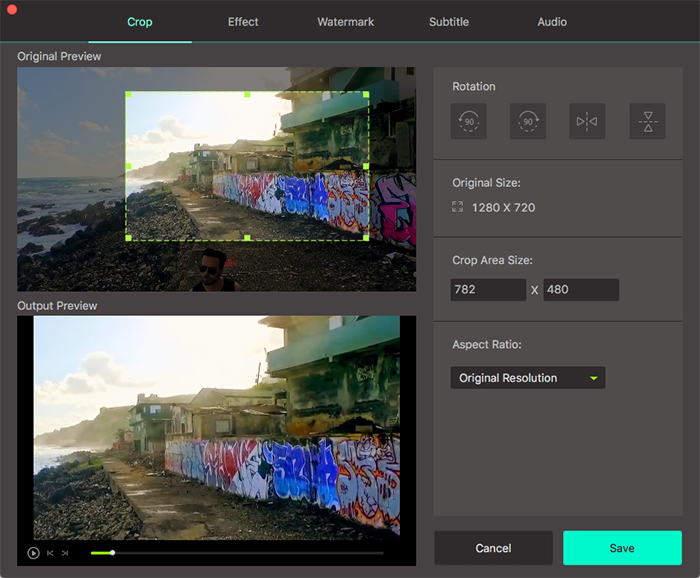
Beside converting AVI to iPad, this little cute iPad Video Converter Mac enables you to edit your videos briefly. You can trim the a large video file into several segments to get rid of the unwanted part. More, you can crop the video frame size, making it fit on your new iPad more perfectly. If you are not satisfied with your video effect, you can switch to another type of video effect, say, Old Film or Gray. Just click the "Edit" button on the right of each video to access these video editing tools.
Step 4. Watch AVI on iPad
After converting AVI to iPad supported file or format, add the output file to iTunes's library and sync them to your iPad. Then you can watch on your iPad. If you've selected iPad as the output format, the converted files will be added to iTunes library automatically. Just open iTunes and make sure the files are there and then connect your iPad to your Mac and sync video to iPad as normal. You can soon play AVI video on your iPad without any hassle.
Video Tutorial on How to Play AVI Files on iPad
Part 2: How to Play AVI Files on iPad (For Windows Users)
This part is about how to play AVI files on iPad using Windows iPad video converter software - UniConverter for Windows. Click the button below to download the software to your computer, install and run the program on Windows 10/8/7/XP/Vista. Then convert AVI files to iPad friendly format easily. The steps are just like those described above.
Easy Steps to Convert AVI Videos to iPad Supported Format on Windows PC
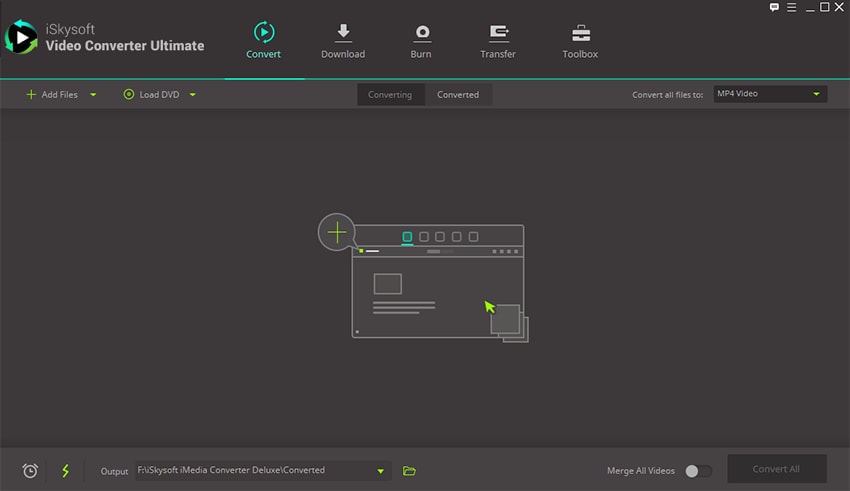
Step 1. Import AVI files to the program
There are two ways to import AVI files, click "Add Files" button on the top left corner or just drag and drop files to the window of the program.
Step 2. Choose an output format
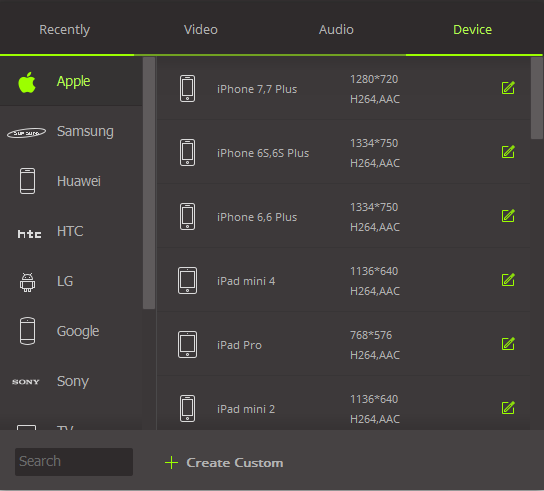
This program supports almost all iPad types, such as iPad mini, iPad Pro, iPad Air etc. Click the format icon on the right and choose "iPad" from the "Apple" category of "Device" list.
Step 3. Start Converting
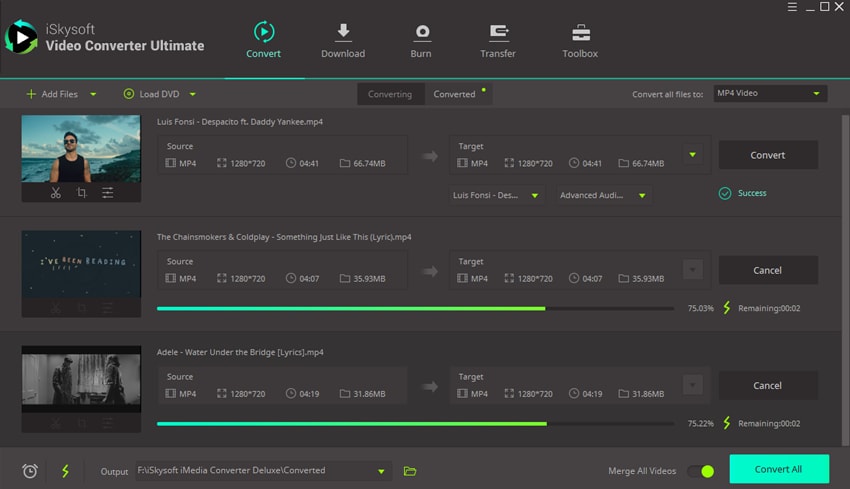
Click "Convert" button to start AVI to iPad format conversion.
Optional: Convert AVI to iPad Online
You can also try online video converter to convert AVI files to iPad if you don't want to install a computer program. Try it below:
Note: Because the online tool doesn't support "https", so if the content below was blank, please manually click the "Shield" icon on the right of your browser address bar to load the script. This action is secure without any harm to your data or computer.
iPad AVI Playing FAQs
#1. How do you play AVI on iPad without converting?
VLC is a cross-platform media player that can run on iPad to play AVI and other formats of video files. Once upon a time, people can get VLC media player for iPad on App Store. However, for some reasons VLC media player for iPad has been removed from App Store. Now to install VLC on iPad, you have to jailbreak your iPad, which is not recommended since you'll loss warranty from Apple if you do so.
#2. Can the default player on iPad play AVI files?
Yes, by default, iPad supports Motion JPEG (M-JPEG) encoded AVI videos (up to 1280x720, 30 fps frames rate, ulaw audio). However, for AVI files that are NOT compressed in the above codec or the video parameters exceed the above settings, you'll be failed to play such AVI files on iPad. This feature is useful for playing AVI video on iPad that are captured with your AVI-M-JPEG camera.
#3. Can I import and sync AVI files to iPad?
According to Apple's website, iTunes only supports video files that end in ".mov", ".m4v", or ".mp4". You have to use iTunes File Sharing (accessible in the Apps tab) to transfer AVI to third-party player (e.g. VLC) on your iPad.
Brian Fisher
staff Editor