/ Posted by to
by Brian Fisher • • Proven solutions
Are you looking for methods to watch Netflix movies on your iPad? Congratulations! You have come to the right place. In this page, you will get two available options. Keep reading to learn more.
- Part 1. Watch Downloaded Netflix Videos on Your iPad
- Part 2. How to Watch Netflix Movies on iPad Directly
Part 1. Watch Downloaded Netflix Videos on Your iPad
You may have downloaded some Netflix movies on your Mac (take Mac for example), and to watch these kinds of Netflix on your new iPad, there are something you have to know: 1). Video format. You should make sure the Netflix video formats are compatible with your iPad – iPad only accepts movies in MP4, MOV and M4V, while video downloaders differs in formats for saving files. So if your Netflix videos are incompatible with iPad, convert the Netflix to iPad on your Mac first; 2). To get the perfect view of movies, you'd better make sure the video resolution, bit rate and more of your Netflix movies downloaded are proper on the iPad, if not, adjust them.
Well, things can be quite simple if you have some video tool on hand for help. UniConverter here is used. It can convert video in all popular formats at superb fast conversion speed. In the Netflix to iPad Mac conversion, it even provides an optimized preset for Apple iPad so you needn't to adjust the video format, resolution and more by yourself.
Get the Best MP4 to MOV Video Converter: UniConverter
- 150+ media conversion – Whether you want to convert audio or video, you can be sure that UniConverter is the one tool that you need. It can convert more than 150 video and audio formats.
- Fast conversion – With speeds reaching up to 90X, you will be able to convert any media in a very short time. This improves your productivity.
- High Quality conversion – With UniConverter you do not have to worry about the quality of your videos. They will be of the same quality as the input video.
- Download streaming videos online – With UniConverter, you can easily download any video that plays from streaming sites such as Netflix.
- Edit the videos – You can now add special effects and more when you use the inbuilt video editor for UniConverter.
- Burn DVDs and more. Whether you want to burn DVDs, send the video to a mobile device or upload the videos to the Internet, you will be able to do so using UniConverter.
3,981,454 people have downloaded it
How to Convert Downloaded Netflix Videos to iPad Compatible Format
Here we provide both video and step-by-step tutorial on how to download Netflix movie to PC and convert to your iPad for your guidance. Now watch the video first and then follow the steps to get start.
Step 1. Download videos
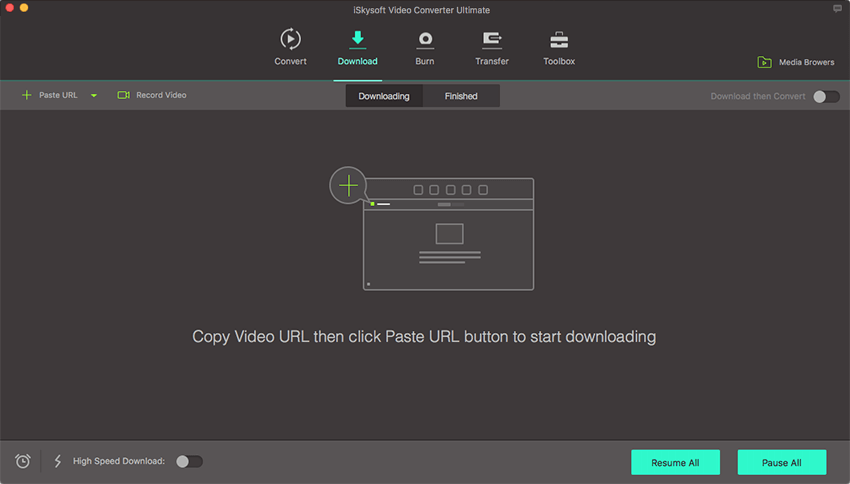
To download Netflix videos, please launch the software and then go to the "Download" tab. You can paste the video URL to the program for downloading. Alternatively, you can also get a "Download" button when you stream videos on Netflix.
Step 2. Set the output device
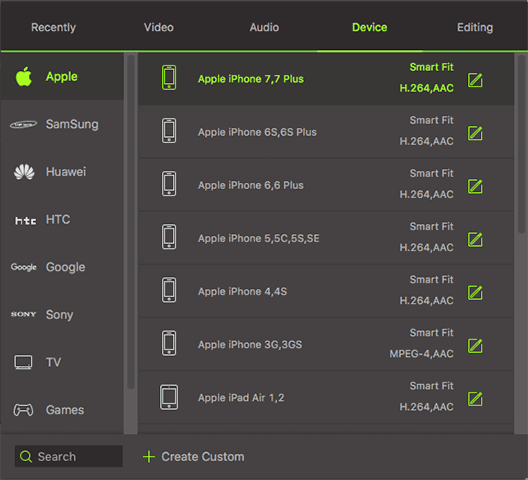
Choose the preset for iPad. By the way, if you own an iPad mini, iPad Pro, iPad Air or iPad 2, you can select "iPad mini", "iPad Air" or "iPad Pro" as the output device extractly.
Step 3. Ready to convert Netflix videos to iPad
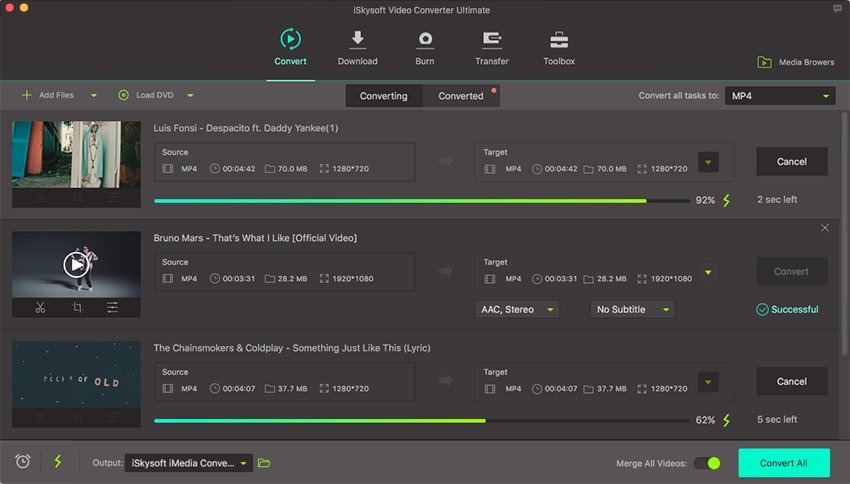
With one hit on the "Convert" button, this program will start to convert Netflix to iPad on macOS (including Sierra, El Capitan, Yosemite, Mavericks, Mountain Lion, Lion, etc).
After the conversion, you can transfer the output files to your Apple device via iTunes and watch the converted Netflix on iPad as you wish.
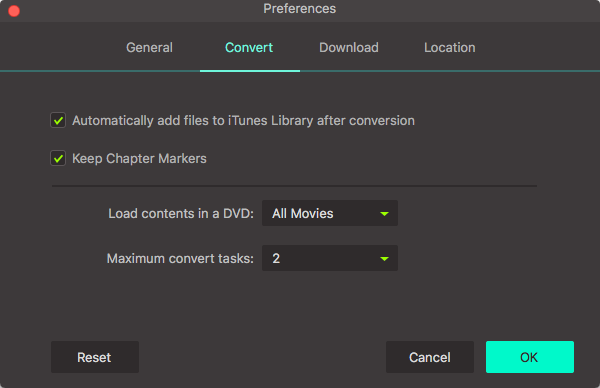
What's more, if you choose "Add files to iTunes Library after conversion" option, you will get converted videos to be listed on your iTunes for sync.
Part 2. How to Watch Netflix Movies on iPad Directly
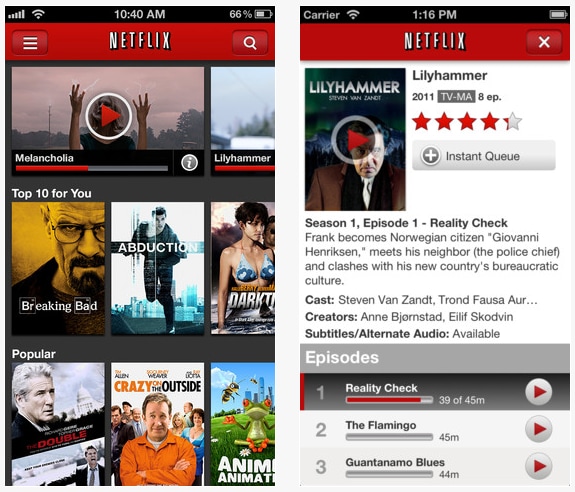
Yes, there is an official Netflix app for iPad you can download and install on your iPad via App Store. By installing the Netflix app, you can watch movies and TV shows on the move with your Apple iPad. And, of course, you have to make sure you have a Netflix account and a good Internet connection. To watch Netflix on iPad, you can:
1. Power on your new iPad and connect the iPad to the Internet;
2. Download Netflix app on your iPad: open App store > search Netflix > download and install the app;
3. Log in Netflix on the iPad: launch Netflix and log in with your Netflix account;
4. Search the Netflix item and rent it;
5. Watch the Netflix movie or TV show on your iPad.
Brian Fisher
staff Editor