/ Posted by to
by Brian Fisher • • Proven solutions
Have problems importing AVI video to iMovie for editing? This tutorial will show you what're the reasons and what's the simple solution to fix the problem. After converting AVI to iMovie supported format, you can freely play or edit AVI files on iMovie at will.
Import AVI after Converting to iMovie Compatible Format
So, here's an easy solution to convert AVI to iMovie supported format by using UniConverter, which support all regular format, including but not limited to iMovie, AVI, MOV, MP4, M4V, MPG, Final Cut Pro, iDVD, etc. After AVI files are converted, you can import to iMovie without any hassle.
UniConverter - Video Converter
Get the Best AVI to iMovie Video Converter:
- Convert AVI videos to various video editor supported formats, such as MP4, FLV, MOV, etc.
- Edit AVI videos before converting them.
- Burn MP4 videos to DVD whenever you want.
- Download videos from online websites, including YouTube, Vimeo, Vevo, Dailymotion, AOL, Metacafe, Break, and so on.
- Perfectly compatible with macOS 10.7 or later.
3,981,454 people have downloaded it
Just a few clicks to Convert and Transfer AVI to iMovie
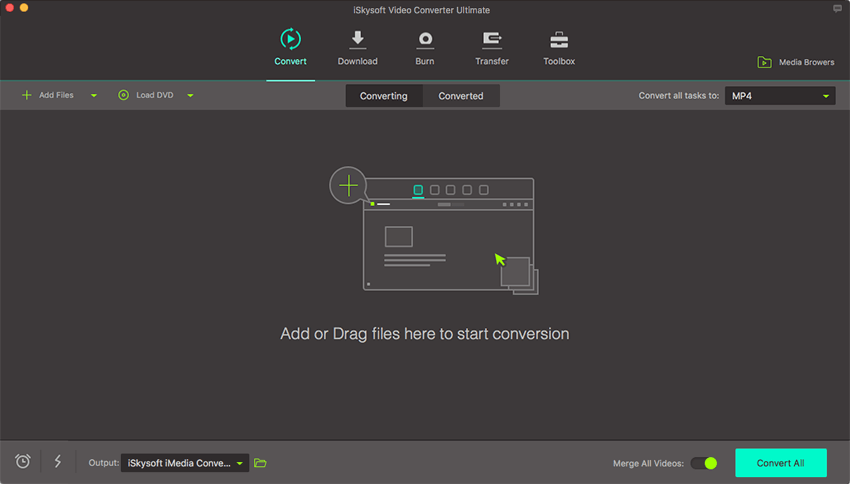
Step 1. Import AVI files to the Mac Converter
Download UniConverter for Mac and install in your Mac. Launch it when installation complete. Two options provided to get started: drag & drop AVI files to the Mac app directly, or you can go to the main menu, choose "Add Files" to locate the AVI files you want to add.
Batch conversion is available here, so you are allowed to import several files at one time.
Step 2. Choose the optimized preset for iMovie
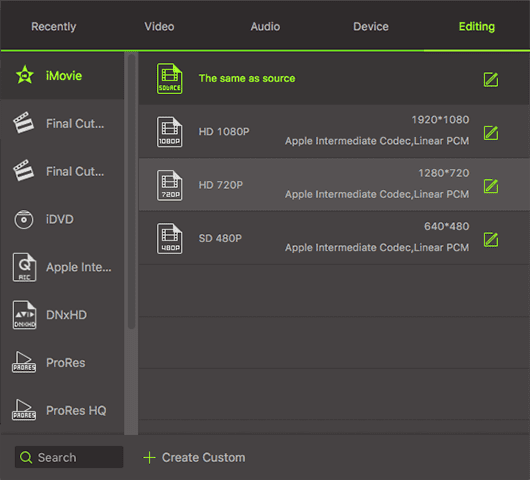
Select "iMovie" as the output format in the format list. The program has already optimized the video settings for iMovie. The output videos will keep the original quality of AVI video.
Step 3. Start AVI to iMovie conversion
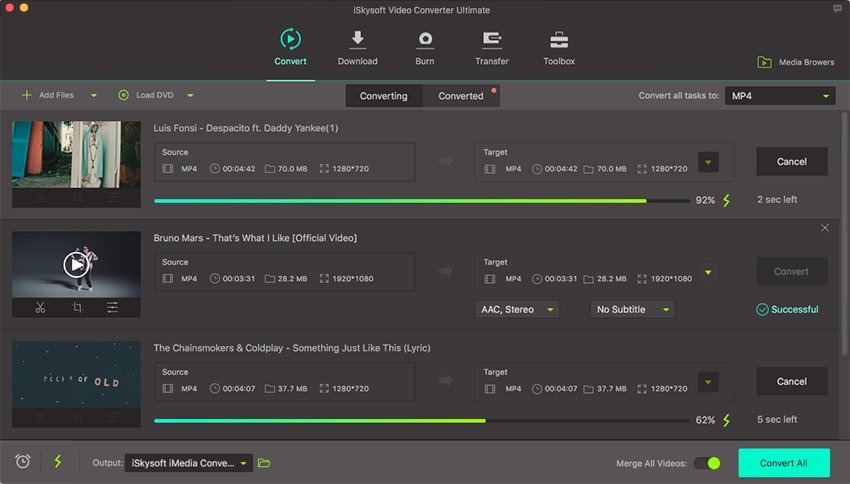
Hit the "Convert" button and this program will convert your AVI rapidly. After the conversion, you can import the output files to iMovie (the latest iMovie' 11 supported).
Step 4. Import converted file to iMovie
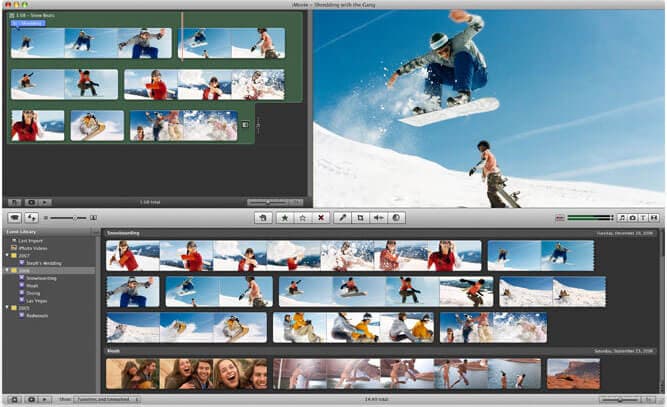
Launch iMovie, from the File menu, choose "Import > Movies", navigate to the folder that output AVI videos are saved. Select the files and click "Import".
Bingo! You did it! With this AVI format to iMovie Video Converter for Mac, you can now import any AVI on your Mac or from your video camera to iMovie, easily and rapidly. All AVI videos can be edited with your favorite iMovie now! Actually, with iSkysoft Video Converter, you can play AVI files almost anywhere! Want to import AVI videos to Final Cut Pro for editing? Check here to learn more.
Video Tutorial on How to Import AVI to iMovie on Mac
Optional: Online AVI to iMovie Converter
If you don't want to install a computer program, you can also try online video converter to convert your AVI videos to iMovie supported format. Try it below:
Note: Because the online tool doesn't support "https", so if the content below was blank, please manually click the "Shield" icon on the right of your browser address bar to load the script. This action is secure without any harm to your data or computer.
Common Problems when Importing AVI files to iMovie
iMovie only reads AVI that both the audio and the video were compressed by using a codec that iMovie can recognize. If your AVI video files are not imported, it's because of the codec used to create the AVI file is not supported by iMovie, even if you have Perian installed, which only allows you to play AVI in QuickTime. If you want to edit AVI in iMovie, the easy option would be converting the AVI files to an iMovie compatible format, like MOV, MP4, or M4V.
Q: I imported an AVI file to iMovie, and it goes through the copying process, but nothing showes up on screen.
Q: AVI played just fine in QuickTime, but they "grey out" in the import window, so I couldn't import to iMovie.
Q: I can import my AVI clips into iMovie, but when I play them, there's an image but no sound.
Q: My AVI plays smoothly in QuickTime, but in iMovie, I get audio but no picture.
Brian Fisher
staff Editor