 Free Trial
 Free Trial
 / Posted by to
by Brian Fisher • • Proven solutions
MTS or M2TS files playback on Mac can be a tricky task for many Mac users. Many popular HD camcorders, like Canon VIXIA HF200, Canon FS200, Canon VIXIA HFS100, Canon VIXIA HG21, Panasonic HDC-HS300, Panasonic HDC-HS20, Sony HDR-CX100, Sony DCR-SR47, JVC GZ-HD40, JVC GZ-HD10 etc. record videos in MTS/M2TS format. Since MTS/M2TS is not well supported by Mac, this article will teach you how to play M2TS/MTS on Mac with or without extra media player applications. Players shown below might not support playing all MTS/M2TS files, which rests with used compression formats in a MTS/M2TS video file. If MTS/M2TS can't play your video well, try to convert MTS/M2TS to MOV so you can play it with the built-in QuickTime Player.
- Part 1. Best Tool to Convert MTS/M2TS to MOV to Play on Mac
- Part 2. Top 5 Free MTS Player for Mac or Windows
Part 1. How to Convert MTS/M2TS to MOV to Play on Mac
In order to play the recorded MTS/M2TS videos freely on Mac, the once and for all method is converting MTS for Mac. By doing so, you can effortlessly play your cam video on QuickTime, manage in iTunes, edit in iMovie and more. To convert MTS/M2TS Mac, you need a video converting tool for help. Here UniConverter is strongly recommended. It supports converting MTS/M2TS with the original video quality. It can also edit MTS/M2TS files before converting to an output format on macOS 104 Mojave, 10.13 High Sierra, 10.12 Sierra, 10.11 El Capitan, 10.10 Yosemite, 10.9 Mavericks, 10.8 Mountain Lion and earlier. All common video editing tools are included, like Trim, Crop, Rotate, Effects, Watermark, Subtitle, etc. Whats' more, it can play your MTS/M2TS videos on Mac without converting to other formats.
UniConverter - MTS Player and Video Converter
Get the Best MTS/M2TS Video Player:
- 150+ video and audio conversion – whether you are working with MKV files or MOV, iSkysoft video converter will convert any video that you throw at it.
- 90X conversion speeds - this MTS converter is also known for being able to convert video at high speeds. This is great for those who are time-constrained.
- 100% lossless conversion – get the same quality of video as that which you put in the input. Great for converting videos derived from cameras.
- Inbuilt editor – you can now edit your work without an external editor. This makes it easier and faster to work in this field.
- Burn DVDs – many people have to use other DVD burning tools after conversion; with UniConverter you do it directly from the tool.
- Convert online videos - this program also enables you to download online videos from 1,000 online sites for playback whenever you want.
Here are the easy steps to convert and play M2TS/MTS files with iSkysoft
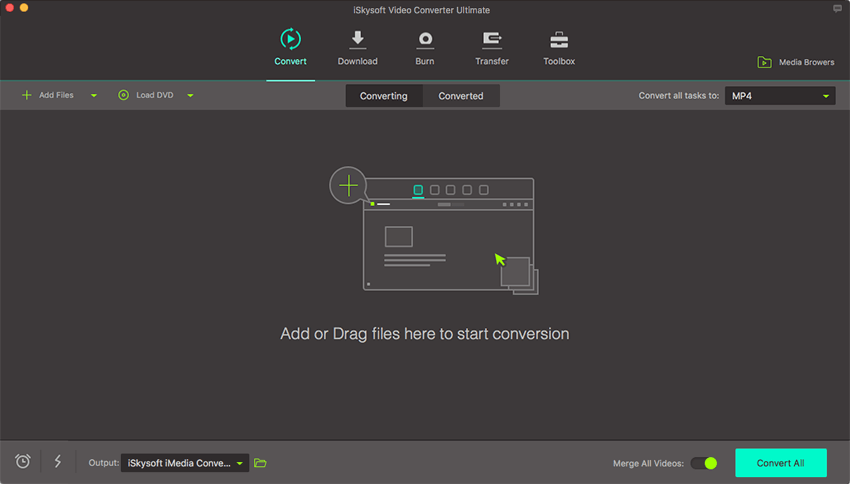
Step 1. Add M2TS/MTS video files
You can add M2TS/MTS video files by dragging and dropping or by plugging the camcorder into the Mac. Or you can go to the "Add Files" button to select MTS files from your Mac or Windows PC.
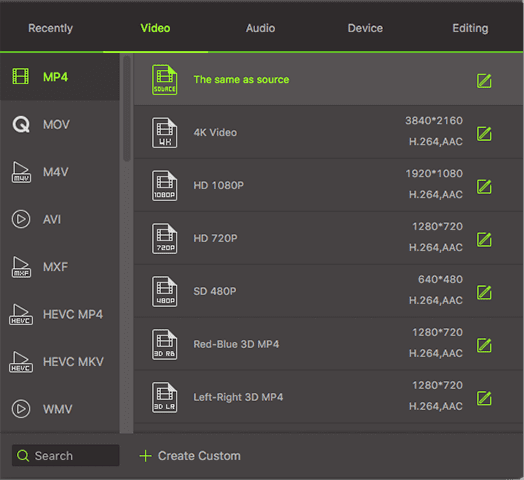
Step 2. Choose an output format from the format tray
In order to freely play your MTS/M2TS videos on Mac, you can select "MOV" as the output format from the format tray.
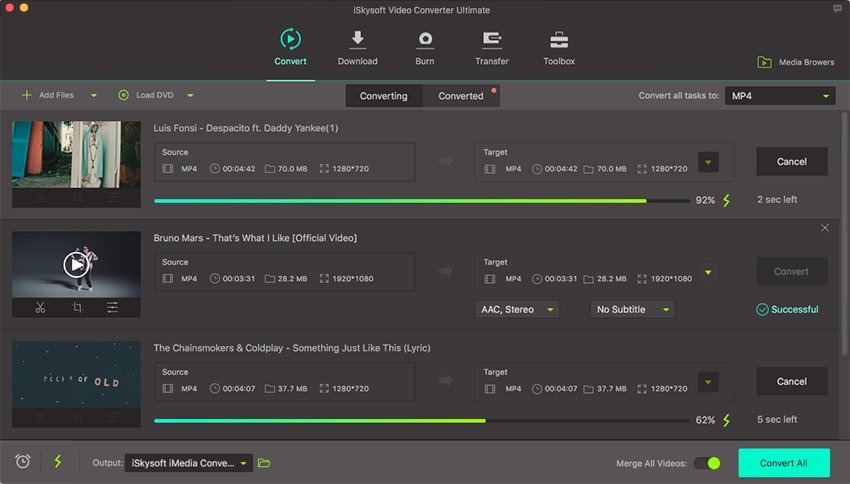
Step 3. Play MTS/M2TS videos on Mac
In this step, you only need to click the "Convert" button to start converting your MTS/M2TS videos to Mac compatible format. After that, you can easily play them on Mac with QuickTime.
Part 2. Top 5 Free MTS Player for Mac or Windows
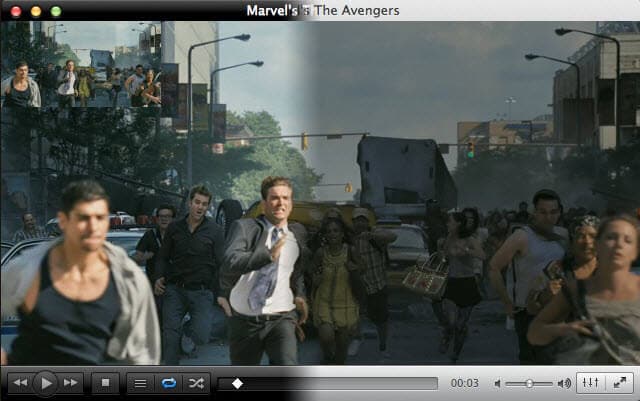
#1. VLC Media Player
VLC is one of the most renowned media players which can play a wide range of files. MTS files can also be played using the VLC player.
Pros:
1- Completely Free.
2- No Ads.
3- Spy-free. Cons:
1- Outdated interphase.
2- No option to download videos music.
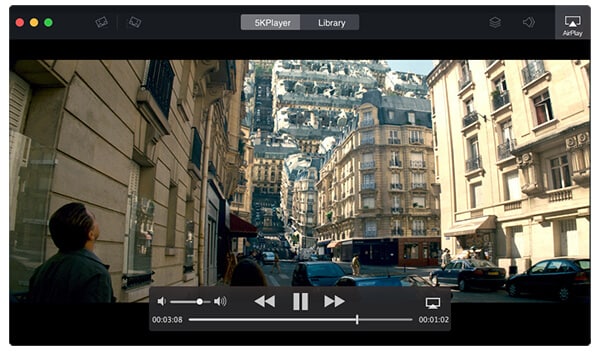
#2. 5K Player
One of the best MTS player which provides top-quality video streaming. For the best user experience, the 5K player plays videos in high quality.
Pros:
1- Wide range of videos can be played.
2- SD videos can also be played.
3- Enables video downloading from popular websites. Cons:
1- Problem with the playback.
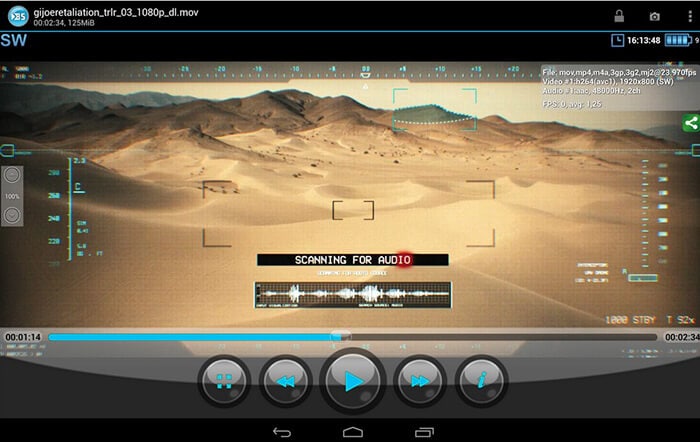
#3. BS Player
One of the commonly used multi media player throughout the world. It is the best fit for those who want to watch MTS videos while having less advanced computers.
Pros:
1- Totally free MTS player.
2- With respect to the availability, it tends to search the missing subtitles. Cons:
1- Compatibility with the Blu-ray discs.
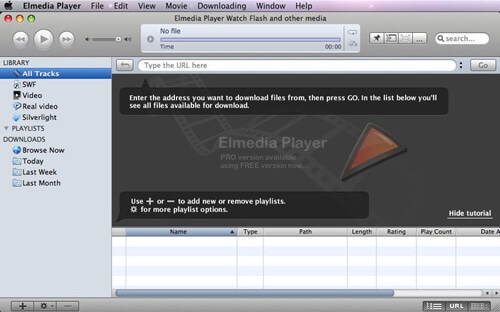
#4. Elmedia Player
It is one of the highly versatile applications which can support the wide range of video formats. Elmedia Player provides the best quality to its users by enhancing the overall user experience.
Pros:
1- Wide range of video formats are available.
2- It plays video without any interruption.
3- Errors in the audio can also be fixed with Elmedia Player. Cons:
1- Available only for Mac.
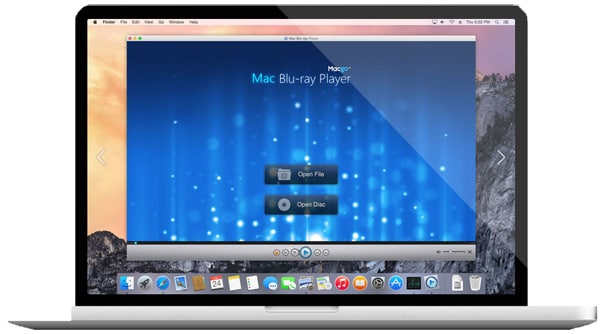
#5. Bluray Player
Enables the user to get the professional experience with the original sound and video quality. It provides various options to the users to enhance their experience.
Pros:
1- Click photos during the video.
2- Along with MTS wide range of videos can be played.
Cons:
1- It is a bit costly.
Why Choose UniConverter for Mac/Windows
| Products |
Free Video Converters
|
Online Converters
|
|
|---|---|---|---|
| Convert MTS/M2TS to any video format with original quality |

|
Limited support | Limited support |
| Portable devices as output preset, like iPhone, iPad and Android devices |
|
|
|
| Conversion speed | Very Fast | Normal | Slow |
| Support every video and audio format, such as MOV, AVI, MKV, MP4, etc |
|
Limited support | Limited support |
| The estimated conversion time |
|
||
| Convert MTS/M2TS to all kinds of video formats for playing, editing and sharing |
|
Limited support | Limited support |
| Fetch and Add Movie & TV Show Metadata |
|
||
| Personalize and edit MTS/M2TS videos |
|
Limited support | Limited support |
| Support both Mac/Windows |
|
Limited support |
|
| 24-hour customer support |
|
Limited support | Limited support |
| No advertisement |
|
Limited support |
|
Optional: Online Tool to Convert MTS/M2TS for Playing on Mac
You can also try online video converter to convert your MTS/M2TS files, then you can freely play them on your Mac computer. Try it below:
Note: Because the online tool doesn't support "https", so if the content below was blank, please manually click the "Shield" icon on the right of your browser address bar to load the script. This action is secure without any harm to your data or computer.
Brian Fisher
staff Editor